Top 7 Free Online Calling Websites Without Registration

Hey Folks, In This Post I Will Share Some Top Websites, You Can Use to Make Free Phone Calls Online Without Download or Any Registration.

So Stick With it And Bookmark This Post So You Can Use Enjoy Free International Online Phone Calls with Unlimited Usage (Trick Regarding this At Bottom of the Post).

So With the Help of his article, you Can Make Free Online Call to Mobile From Your PC

Here We Listed the top Services for Free Online Calls to use Without Any Registration or Login.

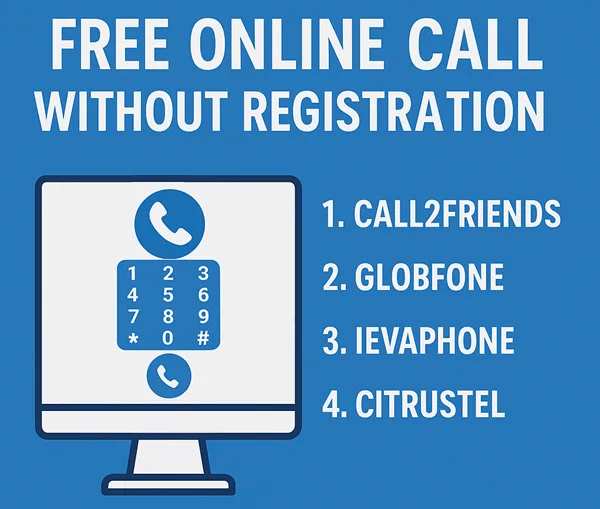
Free Online Call Without Registration or any Download

We manually find these websites and distinguish between them and list them here so you can get the list of only working websites who are providing Free International Phone Calls Online Without Login.

We tested all of these websites, but some of them are Not Working in all Countries but working fine when calling from a different country.

If any of the websites listed here is Not Working Properly, Then Please Comment Below So we can Update the Post.

For People Who Like to Read More Detail Before Using then Here Is the Detailed info of All Websites listed above.

7. Spytox – Free Calls Online

Spytox Supports Almost every Country, and their Service is becoming popular because other websites in this niche are referring to it for Countries that they do not support. So Future pf this Website is Bright. So let’s talk about their services. They are Providing Free VoIP Calls, Free Sms, Email And Address Lookup By Name. When it comes to Call Limit Spytox is Providing Free 3 Minutes and 3 Free Calls a Day. And All Things Are Working Fine When We Tested this Website And it is Web-based Only.

Extension or App:Fully Web Based Only
Total Free Minutes:3 Minutes
Calls Per Day3
Tracking By:IP
Easy to use (out of 10):9
Country Supported:Almost All
Services:VoIP Calls, Sms, Email And Address Lookup.
Working Status:Working
Website :Visit Now

6. Poptox

POPTOX is the First Website that I find When I know about Free Calls Over the Internet. It is Working fine at that time, But for now, it does not support All countries it is Also Referring to Spytox for unsupported countries.

Extension or App:Fully Web-Based
Total Free Minutes:Unknown
Tracking By:IP
Easy to use (out of 10):9
Country Supported:Unknown
Services:VoIP Calls Only
Working Status:Not Tested
Website :Visit Now

5. WePhone

We Phone is only Available on Mobile App. If You Want To Use We Phone You Must Download and Install The WePhone App on Your Device. There is no need to register to use the app. You get 0.2$ credit for free So You can Make free Calls for Some Minutes. Rates for Call in Us is 0.00850$ per Minutes.

Extension or App:Mobile App Only
Total Free Credit:0.2$
Tracking By:IP
Easy to use (out of 10):9
Country Supported:Unknown
Services:VoIP Calls Only
Working Status:Working
Website :Visit Now

4. Citrustel

Citrustel is not Working For Some Countries So they refer to Spytox for that Country. Due to this We unable to To test Citrustel. They or offering Some Free Minutes For Trial purpose And if You Want To More Minutes you can Buy Credit too.

Extension or App:Fully Web Based
Total Free Minutes:Unknown
Tracking By:IP
Easy to use (out of 10):9
Country Supported:Unknown
Services:VoIP Calls Only
Working Status:Not Tested
Website :Visit Now

3. IEvaphone- Best From All

Ievaphone is my Favorite Website For Free VoIP Calling because you can use it in Android and iPhone also and make Free Calls Online Without Registration. When I am Testing This on Web it is not working and showing “There are no free minutes for direction. Come back later” But When I tested Their Android App, It Is Working Fine and the best thing is that you can also use this app without being Registered there. Initially, we get 4 Credits to use in the app. and Average Rates for India and Us is 1 Credit per Minute. Rates Are Changes with Country and Carrier. So With These Rates, We Have Nearly 4 Minutes For Call.

Extension or App:Web-Based and Mobile Application
Total Free Minutes:2-4 Minutes
Tracking By:IP
Easy to use (out of 10):9
Country Supported:All(Tested For Indian Number)
Services:VoIP Calls Only
Working Status:The app is Working, But Web Based Not Working
Website :Visit Now
Download App

2. Globfone

Globephone is Providing Many Services Related to Free VoIP Calls for Free. And the Good thing is that all the Services works on Your browser without installing any plugin or extension on your Internet Browser. To Make A Call Just open the website and click on Free call and give permission to it so you can communicate on call. that’s all you have done.

Extension or App:Fully Web-Based
Total Free Minutes:Unknown
Tracking By:IP
Easy to use (out of 10):8
Country Supported:Unknown
Services:VoIP Calls, File Sharing, Video Call & Text Messages
Working Status:Unknown
Website :Visit Now

1. Call2Friends – Free Calls Online Without Registration

Call2Friends is an Internet telephone service provider Offering Paid Plans and also Had a Free Call Option with Some Restrictions. Call2frand has a Very simple design just Go And Click On Free Call And You’re on Your Way. And there is No Need to Install any extra Plugin or Download anything to Make Call Via Internet.

Extension or App:Fully Web-Based
Total Free Minutes:Unknown
Tracking By:IP
Easy to use (out of 10):8
Country Supported:Unknown
Services:VoIP Calls Only(Free or Paid)
Working Status:Not Working In India
Website :Visit Now

How to Get Unlimited Usage On Free Calls

You are Gone Through the List Of Websites to make Free Calls Online Without Registration. All of them Are Providing Good Services And Free Calls By Limiting Call Duration Or Calls. But Calling only 2-3 Minutes is Nothing So For this Problem you Can Buy Credit From these Websites or Bookmark this Page and use these All Websites’ Free Minutes. So You Can Get 30-40 Minutes per Day Or Use the Proxies And Clear All Data And Use Again For Unlimited Minutes.

Miccesleonous:

Read More More About Internet Calls Without Registration?

Calling Internationally with our Mobile Operator is Costs us Too Much Money That’s the Moment Where VoIP or Internet Calls Comes. But Online VoIP Service Providers Also Demands Money (Less When Compared to Mobile Operators). But Some Free Services Are Also Available there. Here is List of Top 7 Websites for Free Phone Call Service Internationally

While Using These Websites to Make online Calls, You can do fun with your friends by Calling on Your Friend’s phone from an unknown number(anonymously) or from a mobile number with another country Or you can use these websites for many other purposes. But Let me tell you first that all these websites have limited usage. You cannot use these websites for free without being interrupted. So if you don’t want to interrupt and have a serious intention, then you may read Best VoIP Services To Buy.

Is Your Browser Ready to Use These free calling online?

So Let’s Comes to it if You are finding these FREE VoIP Services for Fun. But Before Going Forward to make Free International Calls online without Registration, Prepare Your Browser to use these Websites Properly.

Below are the little 2 Steps to Prepare Your Browser for Online Calling.

If You Already Installed Java and Flash Player and Disabled adblocker then You Can Skip(No need to Reinstall) this part And Move Forward Directly.

– Install Java and Adobe Flash Player
– Disable Adblocker

Popular Faqs

Final Words:

I Hope This Article is Useful For You and Helped You to Find the Best Website For You. if Any of the Website is Not working Please Comment Below So We can provide the up to date information to Next Reader by Updating this Post.
Top 20 Apps to Make Free Calls Online (Voice & Video)

Introduction on Apps to make free calls online –

As a matter of fact, we are going to share our article on Apps to make free calls online. Moreover, we know that nowadays landline, telephone, or other cable phones or telephones have come to the end. i.e. landline and telephones are no longer in use.

Apart from this, smartphones have taken the place of cable and landlines telephones. As we know, now we can avail internet data at very cheap price i.e we can access cheaper data Internets. Furthermore, the majority of people wants Apps to make free calls online.

However, all applications need internet connections to make the call, but its a fact that we are being connected to friends and family i.e. we can talk or make calls without spending a single penny.

Undoubtedly, it’s good that now there are least cable cord calls, and people are shifting to modern smartphones. Other than that, free calls can be made through the connection of wifi, LAN, or carrier plans. Without a doubt, smartphones have totally modified and changed their way of calling.

There was a time when we used to spend huge money to talk to someone, but now modern phones with just an internet connection provide free calls nationally, as well as internationally.

Apps to make free Voice calls online i.e many applications help to call and connect voice as well as video call for free. It just needs an internet connection on the phone. Here we are providing you the list of 17 Apps to make free calls online so that you can enjoy free voice and video calls.

1. WhatsApp:

PRICE: FREE

CLICK HERE TO OPEN WHATSAPP

As a matter of fact, first WhatsApp was only developed as a text platform i.e users of Whatsapp can only text to each other. However, as it becomes popular, and people started to like the app, then it came with the up-gradation of voice calls.

Furthermore, later on, the video call feature was also being added in WhatsApp. Without a doubt, Whatsapp is the most popular messenger application in the world.

We placed this app in the first position of our list because of the popularity and the end to end encryption used in Whatsapp messenger i.e. WhatsApp server will not be able to read or store any messages which are sending in the chats.

Absolutely, you can use WhatsApp Apps to make free Video call online in each and every country where it is available. Other than that, WhatsApp comes with many other features such as – sending photos, sending documents, voice recordings, live locations sharing, sending contacts, audio, and much more exciting features which make it most popular and most downloaded messenger application across the world.

2. Facebook Messenger:

PRICE: FREE

CLICK HERE TO SIGN UP ON FACEBOOK

As a matter to fact, facebook is basically known as a social media platform which has billions of active users who use facebook to read newsfeeds, watch pictures, video, connect with friends, and many other activities. However, Facebook apps can also be used to make voice calls and video calls.

Moreover, one of the advantages of facebook application is that it is used worldwide and has a great network base. Other than that, the popularity of facebook is not hidden to anyone.

Furthermore, maybe you are already using Facebook for a long time. We may say, everyone uses facebook. Other than that, Facebook has a feature of free messaging, free calls, and free video chats which is a great advantage.

It is a perfect Apps to make free Online calls. Besides this, you will need a Facebook messenger which allows users to make free calls with the help of internet data. To be noted, people generally do not use facebook as a calling application. Its basically a social platform which also has calling access.

3. IMO:

PRICE : FREE

CLICK HERE TO ACCESS ON imo

In this list of best apps to make Free calls online Imo is at 3rd place because Imo popularity is increasing rapidly. Equally, like whatsapp it also support audio and video calls which works in 2g, 3g, and 4g internet connection.

To be mentioned, both the parties who are going to make the call needs the imo application installed in there smartphone to make the connection. Furthermore, imo is popular as well as free application where there is no limits to make the call i.e. you can call unlimited times.

One of the advantages of imo is that it comes with a library of vast, and huge collection of stickers which make the conversation more interesting. In addition, imo can be supported in both ios as well as android smartphones.

Other than that you can also install a chrome extention to access imo on leptops or computers. You can enjoy all features in smartphones as well as leptops or computers.

4. Skype:

PRICE : FREE

CLICK HERE TO ACCESS SKYPE

Skype users are not just a user of the application, they are fan of it. This application allows HD{high defination} video calls. Moreover, skype is a microsoft product which allows free chats, and free hd video calls. To be mentioned, skype is generally popular among business users.

Actually, its is a free video call application who get connected only when both the parties have installed it. If you want to call on there landlines, and cell phones then you will need to purchase a skype subscription which allows access to make cell phone calls.

5. Text Now:

PRICE : FREE BUT SUBSCRIPTIONS AVAILABLE

CLICK HERE TO DOWNLOAD TEXT NOW

Text now application provides you free US number which helps to make all kinds of calls with that particular application. To be mentioned, you can only call them who also have the application. Moreover, if you want to call on landline or cell phones then you will have to pay for it.

Without paying you cannot make regular calls on cell phones. Apart from this, text now has some additional features such as – voicemail transcripts, caller ID, call forwarding , and many more interesting options.

6. Text Free:

PRICE : FREE BUT SUBSCRIPTIONS AVAILABLE

CLICK HERE TO DOWNLOAD

As we know that, text free application was created by pinger. As well as that, pinger is known as an company who is working in the field of free wifi calls for several years. This app is quite similar to text now app. Furthermore, this app helps to create free us number to make calls across the globe.

As we already mentioned, this app also need to be installed in two phones to make the call connection. This application provides you free minutes of calls by watching there ads and videos.

7. GrooVe IP:

PRICE : FREE / Subscriptions also available

CLICK HERE TO DOWNLOAD

It should be noted, GrooVe IP provides free incoming calls, as well as text message, but if you are willing to make outbound calls then you will need to pay some amount i.e free credits. GrooVe IP has there own top up wallet where you can easily top up your credits at the end of each months.

Other than that, if your subscription, or top up amounts ends at the mid of months, then Groove ip app provides you facility to purchase credits anytime with there application.

8. Viber:

PRICE : Free with in-app purchases

CLICK HERE TO DOWNLOAD

Viber known as VoIP service. Later on, viber made a come back which offers services like – text chat, voice chat, and also video calls. Moreover, this app has some facility similer to skype.

You can call viber users free of cost i.e. no charges will be taken, but if you make outbound calls on the cell phone i.e. direct call on phone, then you need some small fee. Apart from this, it also has some special features such as hidden, or secret messages, etc.

Moreover, some more feature which make this app attractive to use such as – stickers library. Clearly, viber to viber calls, text messages, and also video calls are completely free of cost i.e you don not need to pay any amount if both parties have installed the application.

9. Slack:

Price: Free / Subscriptions also available @ $6.67-$12.50 per member per month

CLICK HERE TO DOWNLOAD

Slack application helps to make free calls if both have installed slack. This app popularity is increasing rapidly, because its a complete free app to make calls. Basically, Slack is popular within business persons. Its comes with integrations with other apps too.

10. Google Voice:

PRICE : FREE

CLICK HERE TO DOWNLOAD

As a matter of fact, google voice is one of the best App to make free call online, it helps and allows free internet phone calls, pc to pc calls, and also free pc to phone calls. Other than that it also helps in the management of phone numbers, incoming calls, outgoing calls, and also SMS. It also helps to make free conference calls, and voice mail record services.

11. FreedomPop:

PRICE : FREE

CLICK HERE TO DOWNLOAD

Freedom pop apps makes freedompop to freedompop calls and also app to phone service calls i.e. you can call in telephones, landline, and also in smartphones in us. It is not neccessary that the person has to install the application on there phones.

Furthermore, calling in landline, or telephones, and direct calls you may have to purchase the subcriptions. Freedom pop allows you to sign up and register and choose phones numbers.

12. Google Duo:

PRICE : FREE

CLICK HERE TO DOWNLOAD

One of the most popular application i.e google duo. It is a audio calling app by google, but audio and video calls both are being supported in google duo app. To be mentioned, you cannot send any text messages with google duo i.e text feature function is not available. Furthermore, you cannot make a landline or phone calls if they are not using this app.

13. Snapchat:

PRICE : FREE

CLICK HERE TO DOWNLOAD

Snapchat, a social platform, and a messaging platform. Importantly, snapchat is famous for texting and pictures sending capabilities, but its also a great app to make online calls. Furthermore, snapchat allows you to make free audio as well as free video calls with your contacts on snapchats.

Snapchat make calls with the help of of data connections i.e internet or wifi. Direct calls on phones are possible with the help of snapchat.

14. Telegram:

PRICE : FREE

CLICK HERE TO DOWNLOAD

Especially, telegram is a messanger app just like whatsapp and skype. It also allows to add 1000 members in a single group where as whatsapp just allows 257 members to get added on there groups. Besides this, it can be used on mobilephones, tablets, as well as pc or leptops.

To make calls you will have to add contacts to the app, calling is possible by opening the contact info page, and then selecting the phone icon. Apart for this, telegram can be run in Android, iPhone, iPad, Windows Phone, macOS, Windows, Linux, and the web.

15. Tango:

PRICE : FREE

CLICK HERE TO DOWNLOAD

App to App free internet calls is possible with tango application. It is available in Android as well as ios devices. Importantly, this apps grants to access the contacts, so that new contacts can be added by serching on your existing contacts book. In the list of your contacts any one who uses tango will be shown to you as a friend in the application.

16. Libon:

PRICE : FREE

CLICK HERE TO DOWNLOAD

Libon is a mobile application that makes free internet calls. It provides some useful features such as – app texting, sending photos, sending videos, making audio calls, and also video calls.

17. Globefone:

PRICE: FREE

CLICK HERE TO DOWNLOAD

Globfone allows pc to phone calls connections, i.e. you can call through pc to phones. One of the exciting features of this application is that the receiver cannot see any number. They can just see “UNKNOWN” written on their device. Basically, this app does not need to be downloaded because it can be worked from the browser.

18. Vonage Mobile:

PRICE: FREE / SUBSCRIPTIONS ARE OPTIONAL

CLICK HERE TO DOWNLOAD

Actually, vonage Free App to make free calls. Other, than that this app also offers you some invite bonus which can be used at the applications for calls. Importantly, vonage mobile offers 1 dollers of credit on each and every friend you invite.

19. Dingtone:

PRICE : FREE

CLICK HERE TO DOWNLOAD

We do not recommend this app so much, because this app was shut down from a log time which shows carelessness of this app. Later on, this app came back with some exiting and some unique features such as – calls, call forwarding facility, calls blocking features and so on.

20. WeChat:

PRICE : FREE

CLICK HERE TO DOWNLOAD

As we know that we chat is basically used in china. Its a popular app and preffered app in china market. Basically, this app was invented and founded in china and its there official messaging app. However, we chat allows you to make audio calls, video calls free of cost with any intruptions of ads.

CONCLUSION –

In the final analysis, our team have done a deep research in searching for Apps to make free calls online. Moreover, We tried to select most pupular and convenient apps which can help to make free call online.

Apart from this, we have selected top 20 apps which are – WhatsApp, facebook, skype, text now, imo, we chat, dingtone, vonage mobile, glovefone, libon, tango, telegram, snapchat, google duo, google voice, slack, Text free, text now, and many other useful Apps to make free calls online. We hope you like our content, and you may find it useful. Thanks.

7 Best GST Billing Apps in India for Small Businesses

Billing is an integral part of the business. But conventional billing has become an onerous task due to the changed taxation system.

Indian Government had implemented Goods and service tax (GST) on 1st July 2017. This is one of the biggest tax reforms which replaced about 18 direct or indirect taxes. To surmount even with this new taxation system businessmen are replacing the traditional system of manual billing by technology.

There are many apps in the market. But which one is easy, systematic, and affordable? To ease out your search, we bring you the list of 7 best GST billing apps along with their pros and cons.

Before starting our topic: 7 best GST billing apps, we should know why these billing apps are important in business.

Importance of GST billing apps

The digital billing system or apps not only reduces the work burden of business personals but also minimizes the chance of human errors.

The calculation of outstanding stock, overdue payments, maintaining records of different cheques or credit card payments, to stay updated to your business, etc. are very difficult to maintain through manual or traditional business style.

On the other hand, the digital application and software reduce this difficulty to almost zero. As a result, for good, growing, and healthy business you need a good, reliable, and featured application.

1. FloBooks

Flobooks is an easy and fast billing of India’s mobile app. However, its main focus is on MSME like wholesalers, traders, and distributors. It is useful in maintaining day to day tasks.

Features

  • Customization of a bill by adding your logo and signature.
  • Low stock alert feature. It notifies you whenever the stock in your inventory comes below the required level.
  • A Voice search feature is available to add items and create a bill.
  • The payment reminder feature is also here. You can send and set payment reminders for your customer and suppliers. Moreover, you can send reminders through SMS and WhatsApp.
  • It offers you a feature to improve your business relations by sending personalized greetings on WhatsApp for a birthday, festival, etc. Also provides hundreds of greetings choices. Above all, you can add your company name, logo, mobile number on it.

Pros

  • Brand building through cards and greetings.
  • Paramount data security.
  • Training the
  • Compatible with Android 5.0 and up.
  • Barcoding facility.
  • Technical support through WhatsApp.

Cons

  • A multi-currency facility is not available.
  • No personal training.
  • The app is a bit slow
  • Contact Database is missing

2. Vyapar

Vyapar is a GST-compatible invoicing and accounting software for small businesses. Most importantly, one can perform their regular business tasks right from their smartphones without the internet.

It has both mobile and desktop versions. However, the mobile application is free and desktop application has a 30-day free trial period.

Features

  • There is an option to share your invoice directly from WhatsApp. This option makes your business more comfortable.
  • It can also track unpaid bills. By the help of this feature, businessmen can easily figure out the exact amount that needs to be recovered from the market
  • You can send payment reminders. This feature allows you to send a reminder directly to the party regarding the delay in payment.
  • You can also receive or send payment through UPI. Therefore, the digital transaction feature makes this app more user friendly.
  • Track business expenses. You can track your business expenses that make your app more business-friendly.

Pros

  • In the paid version, you can access more than one account
  • Ease of Data entry: you can enter your data in an easy manner
  • You can share updated business data: Sharing of data to employees, friends, and also to the accountant is easy
  • Remote access: You can access your account from everywhere

Cons

  • Purchase history is not available
  • Same login credentials for everyone
  • Everyone having the login ID password can make the changes even your employees.
  • No customizing option for bill

3. Book Keeper

A Book-keeper is one of the most simplified accounting solutions for traders, retailers, wholesalers, and manufacturers. Moreover, its data can be accessed across devices by syncing. It can be used on Windows, Android, and IOS platforms. The Bookkeeper can also use to generate GST invoices and generates GSTR-1, GSTR-2, GSTR-3B, and GSTR-4 reports.

Features

  • Solves all inventory, accounting, and taxation processes.
  • Uploads all data and information directly to Dropbox instead of storing it on its own server.
  • Efficient inventory management. Allow to track and manage the stock, in and out of the company and also maintain the up-to-date status
  • Provides end to end integration with tally.
  • Can also function as retailing /POS software.
  • Payment reminders: automatically reminds the party about the overdue payment
  • Payroll: allows tracking employees working hours and automatically payroll filing and tax calculation
  • Effective for small scale businesses.
  • Supports manufacturing.

Pros

  • Can function both online and offline, which makes the app more accessible.
  • Secure use, as data can be accessed only with Dropbox access details.
  • Inventory reporting allows us to get customize reports anytime.
  • Generates compact, comprehensive, and statical reports.
  • Provides sales capability.
  • Runs from anywhere.
  • Award-winning customer support.
  • Can connect with other apps and software.
  • Helps to create multiple users with specific tasks.
  • Availability of easy access to payroll.

Cons

  • No option to update the e-way bill number from the user device.
  • No multi-currency option is available. This restricts your business to grow in abroad.
  • Don’t have an account group balance facility.
  • Its dashboard needs to be redesigned, as to see complete balance at a glance instead of scrolling.

4. QuickBooks

Quickbooks provides technology with tradition. They are in the market for the last three decades and have grown to about 2.2 million users. However, they offer four pricing stages. Its graphics and shortcut tabs make it a good choice for people new to billing and accounting.

Features

  • Avail customized professional and multilingual invoice. This feature makes this app accessible to everyone.
  • Live bank feeds establish smooth transactions and better cash flow management.
  • Expense tracking and also mileage tracking of employee working hours.
  • Long-awaited project management feature. Therefore it makes this app accessible and beneficial for big project holders.
  • New pricing plans for large businesses.
  • Strong report.
  • Ability to calculate project profitability: Makes your business more clearly.
  • Have very flexible functionality and good financial connectivity.

Pros

  • Advanced invoice features.
  • 650+ app integrated
  • Cloud-based hosting for better data security.
  • Unlimited maintenance.
  • Accessible to multiple users allowing teamwork.
  • Good tax support.
  • Free unlimited support.
  • Comprehensive payroll support.
  • Inventory management.
  • In-depth contact record.
  • Customizable reports.
  • Doesn’t support manufacturing.

Cons

  • Expensive to use. Therefore, it is not preferable for low budget businesses.
  • Complex for beginners due to poor documentation.
  • A very long and complex system of professional support.
  • Instability and file size issues.
  • Doesn’t support manufacturing.

5. Tally ERP 9

Tally ERP 9 is beneficial for organisations including small, large industries, and also for non-profitable areas. Main features of the app are mentioned below:-

Features

  • It is easy to use, has no codes, robust and powerful, executes in real-time, operates at high speed, and above all it has a full-proof online help. These things make it one of the best apps.
  • It provides a record to post-dated transactions supported with a post-dated register. Moreover, your receivables and payables bills are managed automatically while you save your invoice
  • Tally provides you to maintain and manage accounts of 9,999 companies. It gives unique features.
  • Tally ERP 9 gives you banking support. By this feature, not only you can easily manage cheques but also the e-payments with multiple banks
  • Inventory management, it provides you to form infinite stock groups, categories, and multiple godown & track godown wise stock.
  • Easily files GST return, GSTR-1, GSTR-2 & GSTR-3B

Pros

  • Data reliability and security: The data entered in the software are secured and safe.
  • Payroll management: It maintains the financial record that includes net deduction, net payment, bonuses, and taxes.
  • Ease of regulation of data: It allows us to bring a common calculation for all the branches of the company
  • Ease of maintaining budget: It allows to manage expense according to the budget allocated
  • Multiple currency support: You can record invoices, quotations, orders, accept payments, and receive bills in foreign currency.
  • Can work both online and offline.

Cons

  • Internet database flaw
  • Lack of important feature to increase productivity
  • Expensive than other apps.
  • Do not allow data import features

6. Zoho Book

Zoho-Book is one of the most affordable and smart accounting applications. Moreover designed to facilitate beginners as easy to use. It is basically for small businesses as it doesn’t offer payroll. However, it is a completely cloud-based application ensuring good enough uptime, security, and support.

Features

  • Can send professional invoices to customers and receive online payment.
  • Provide features like cash flow statement, P and L, Balance Sheet, etc that helps in controlling companies’ finances.
  • Financial information is available on the dashboard through graphics on the dashboard itself.
  • Notify and organize all types of transactions on the same platform.
  • Allow managing the finances of individual projects.
  • Facilitates to schedule payment reminders that can be automatically emailed to customers.
  • Can schedule reports to be automatically generated weekly.

Pros

  • Automate bank feeds and payment reminders.
  • Manages and tracks projects.
  • Multi-lingual.
  • Mobile ready.
  • Attractive and informative dashboard.
  • Project time-tracking is easy.

Cons

  • Not much suitable for large businesses as there is no payroll facility.
  • One has to pay separately for the subscription of each business though under the same account.
  • CRM data flow can be slow sometimes.
  • Little clunky particularly when processing receipts.

7. Fresh Book

Fresh Book app is another flawless and good app to keep your GST billing cycle running smoothly.

Here are some significant features of a fresh-book app.

Features

  • Customizable invoice: it has features to change color and font, add the logo to make your invoice pretty
  • Automatic payment reminders: For instance, you got some clients that hardly remember to pay your amount back in time. Then this feature will ping the clients to remind them about the payment
  • Simple summary: know your outstanding and overdue instantly
  • Tax friendly category: your expenses are ready in an expense category at the time of GSTR return.
  • Remember Vendors: all your commonly used vendors are remembered.
  • Accept credit card online

Pros

  • Accept international currency
  • Relationship feed: You’ll have an up-to-date log of all invoices and communications sent to each client for easy reference.
  • Easy File sharing
  • Automatic payment recording: your credits will be up to dated automatically if you accept credit card
  • Attach your receipt with the bill (pdf or jpg)
  • Personalized ‘thank you’ Email

Cons

  • Number of the billable client is 500 only in the premium version
  • The mobile app is restricted in many features, for example, it doesn’t allow reports on the go
  • The program is not good for a complex business-like inventory tracking and vendor management.
  • For recurring invoices, additional payment is required

Conclusion

So, according to my fact-finding, here is the list of best GST billing apps. However, no app is perfect. I will counsel, to once go through your needs before choosing any app. Here are a few of the following things you may consider: –

Do software work both online and offline? You must check whether your app works offline or not. It makes your business internet independent.

Is your data safe and secure? You will need to store a lot of important data and information on it. So, ensure at least proper encryption and password facility.

Do its features fulfill all your requirements? Every business needs different approach. Therefore, while choosing your app make sure that it fulfils all your business requirements.

Customization: Look for an application that can migrate the existing system to a completely new version.

Consider the complexity level: GST is already very complex so better go for the simple handling application.

Availability of support: The application should provide every kind of support and help regarding its uses.

Compare the charges: In the end, you must compare the price of selected apps. Consider your budget and also pay only for the features you are really going to use.

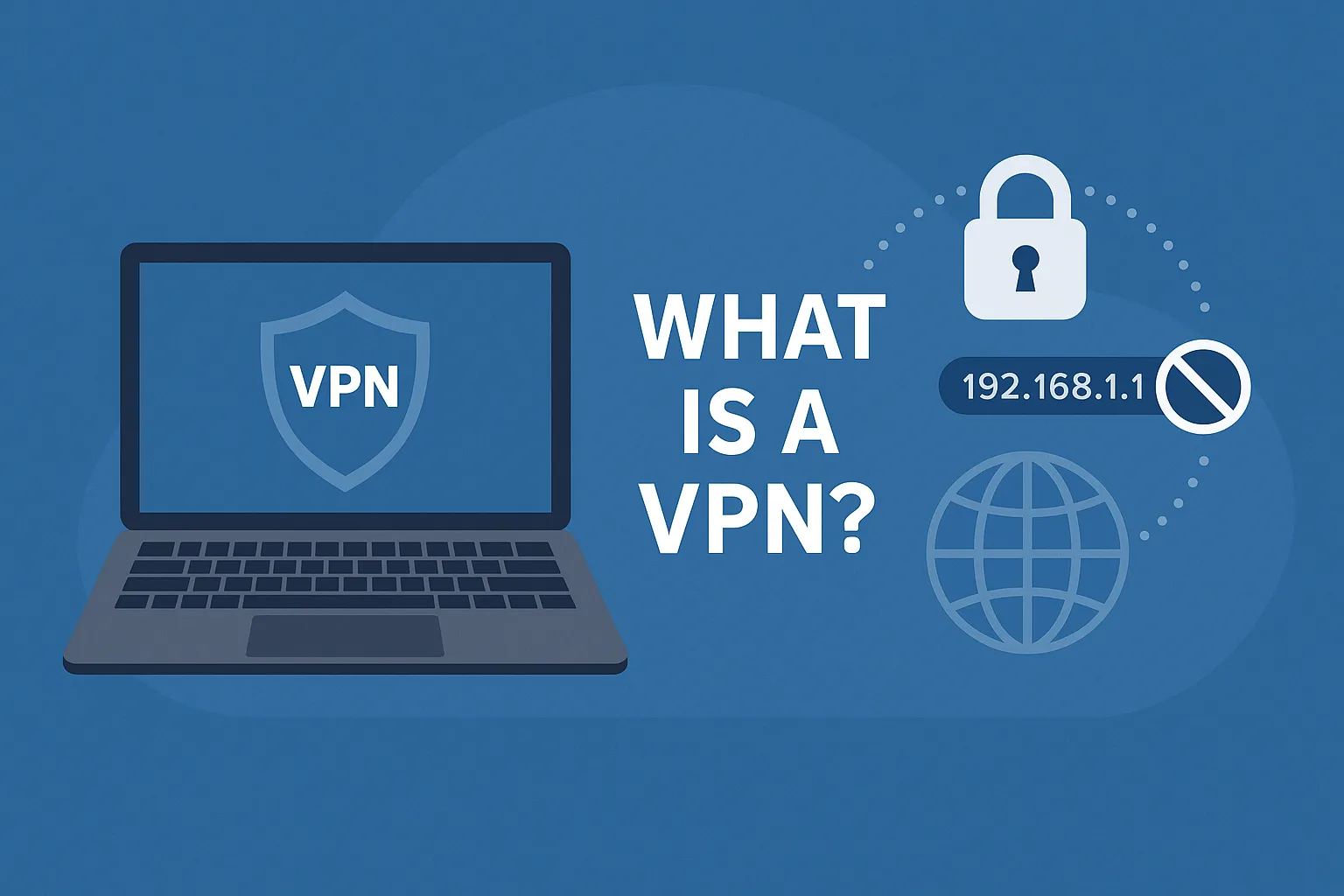
What Is a VPN? How It Works & Why You Need One Today

What Is a VPN? How It Works & Why You Need One Today

My dear friends, today I will talk about VPN. Today we will know how VPN works and how to use them, and Why You Need. So let’s talk about the VPN.

What Is a VPN How It Works & Why You Need One Today

What is a VPN? (VPN Explanation)

VPN stands for Virtual Private Network, and perhaps you’ve heard that term in relation to security and geolocation. But what exactly is it, how does it function, and what can it do for you? Well, let me explain.

How the Internet Works (Before VPN)

Now, before we jump into VPNs, let me explain a bit about how the internet works. At home, you’ve probably got some sort of router or modem from your phone company or your internet service provider. That is connected to your desktop, maybe by an Ethernet cable, to your phone over Wi-Fi, or to your laptop over Wi-Fi, etc.

Inside your home, when your laptop talks to your computer or your phone talks to your computer, that is a part of your private network. It doesn’t go out onto the internet — it stays inside your home. But the moment you open a page on the internet, that data moves through your modem into your local phone company and then out over the internet. It will traverse the web until it gets to the server. The server will then answer with some information that returns through the web to your local telecommunications provider, down through your modem, and back onto your computer or smartphone.

What is an IP Address?

While all that data is rushing around the web, it has to know where it’s going. To do that, every piece of data needs an address — just like the postal service. These are known as IP addresses. You’ve probably seen them: four digits from 0 to 255 with dots between them — for example, 178.34.67.120.

Your modem or router is assigned an IP address from your ISP. Every server or router your data touches as it travels the web knows that IP address. When it reaches a website server, it logs that IP address and the information you requested — not because it’s spying on you, but to collect analytics like visitor count, peak times, etc.

IP addresses are assigned in blocks. That means your IP is similar to that of your neighbors. There are databases that can tell where these IP blocks are located, sometimes even down to a few blocks from your home.

If you don’t believe me, go to WhatIsMyIPAddress.com — it will show you what info can be found about you from just your IP address.

Why Should You Care?

Usually, it’s not a big deal if you’re just visiting Twitter. But what if you’re researching something sensitive — like a personal issue or a culturally taboo topic? Then the server you visit knows your IP, and so does your ISP. Most governments have legal systems that allow them to request your personal info based on IP address and browsing history. Depending on the country, this can happen quickly or under strict rules.

It’s not just governments you should worry about. Public Wi-Fi — like in coffee shops — is extremely risky. Anyone with some tech knowledge can sit in a cafe and intercept the unencrypted data flowing through the air. They can grab passwords, URLs, and even content from emails.

Even with apps like WhatsApp that offer end-to-end encryption, it’s still dangerous to do online banking or visit PayPal on public Wi-Fi. Just don’t do it.

Geolocation and Regional Restrictions

Let’s say you’re traveling and want to access a streaming service. If you’re outside the country, you might be blocked from viewing content. The streaming server checks your IP and sees it’s from another country.

Even pricing changes based on geolocation. ExpressVPN recently found that the price of the same flight ticket varies depending on your IP location. This is called geo-fencing and affects how we access content and services online.

How Does a VPN Help?

A VPN creates a secure, encrypted tunnel between your device and a server elsewhere in the world. When you access the internet through this tunnel, your IP is replaced with the VPN server’s IP.

Here’s what that means:

  1. Your local ISP and government can’t see what websites you’re visiting — it’s all encrypted.

  2. The website you visit sees the IP of the VPN server, not your real IP. It thinks you’re in a different country.

  3. On public Wi-Fi, your data is encrypted, so hackers can’t intercept it.

How to Use a VPN

First, you need a VPN service. There are many available online. I personally recommend ExpressVPN — they’re great.

When you subscribe, you get a username, password, and a list of servers in Europe, the US, South America, Asia, and more. You can choose the country/server you want to connect to.

  • On Android, ExpressVPN has an app. Just install, log in, and tap the server you want.

  • On Windows or macOS, you can either use the app or manually create a VPN connection from settings.

VPN Features

  • Save your personal data

  • Save from hackers

  • You can hide your IP address

  • Etc.

Conclusion

If you have any questions, please comment down this post and tell me if I made a mistake so that I can correct it. Thanks for reading…