How Social Media Is Transforming Customer Service for Modern Businesses

Increases the Speed of Customer Service

Social media is about instantly connecting to someone else, and customer service through social media is no different. When your friend posts a status update on Facebook or publishes a tweet on Twitter, you want to respond right away.

Similarly, when customers ask questions or make comments on a company’s social media page, they want a response right away.

This need for instant gratification is growing and affects the way a business handles customer service. In 2025, 56 percent of the top 50 brands failed to respond to a single comment on their Facebook page from a customer. As more customers expect same-day responses to their social media posts, businesses are forced to keep up with the demand. If they fail, it reflects poorly on them and they lose business.

In fact, just to handle these complaints and questions as soon as possible, some companies create new positions just for social media comments.

Publicizes the Customer’s Feedback

Social media is, after all, social. In the past, your complaint or comment wasn’t known to others unless you decided to tell someone (and that was limited to a small group). However, with social media, your comment, complaint, or praise becomes public.

Everyone who follows the company in question can see that you didn’t like the way you were treated at its restaurant or that you felt its product was poorly made. Everyone sees this, and it affects their desire to do business with that company.

In addition, they can share that with everyone who follows them, reaching hundreds and thousands of other potential customers.

It isn’t only your comment that’s being scrutinized. The way the company replies to your comment is also seen by hundreds, thousands, or even millions. If it ignores your complaint or gives a trite response, it shows and affects the perception of the company.

Some customers may choose a different business just on the way it responds to social media questions and complaints.

Puts the Power in the Customer’s Hand

Sites like Facebook and Twitter are changing customer service for the better. With the use of smartphones, access to these sites is literally in the palm of your hand. Using your smartphone, you can access businesses from all around the world and communicate with them, asking questions about a service or voicing complaints via their social media page.

Just about everyone has a smartphone, especially since you don’t even have to commit to a contract anymore. For example, T-mobile offers prepaid phones, so there’s no excuse not to have your voice heard by posting your passing thoughts about a service or product.

For every one person who actually calls a company to complain, ask a question, or even give praise, there are countless others who have something to say but don’t bother taking the time to call.

However, social media makes posting a comment fast and painless. Instead of waiting on hold for 10, 20, or 30 minutes, you can use your smartphone to blast a tweet or post a comment about the company in just a few quick seconds.

Conclusion

Social media isn’t disappearing anytime soon. It’s shaping and redesigning the way people interact with each other — and that includes companies.

Top 20 Apps to Make Free Calls Online (Voice & Video)

Introduction on Apps to make free calls online –

As a matter of fact, we are going to share our article on Apps to make free calls online. Moreover, we know that nowadays landline, telephone, or other cable phones or telephones have come to the end. i.e. landline and telephones are no longer in use.

Apart from this, smartphones have taken the place of cable and landlines telephones. As we know, now we can avail internet data at very cheap price i.e we can access cheaper data Internets. Furthermore, the majority of people wants Apps to make free calls online.

However, all applications need internet connections to make the call, but its a fact that we are being connected to friends and family i.e. we can talk or make calls without spending a single penny.

Undoubtedly, it’s good that now there are least cable cord calls, and people are shifting to modern smartphones. Other than that, free calls can be made through the connection of wifi, LAN, or carrier plans. Without a doubt, smartphones have totally modified and changed their way of calling.

There was a time when we used to spend huge money to talk to someone, but now modern phones with just an internet connection provide free calls nationally, as well as internationally.

Apps to make free Voice calls online i.e many applications help to call and connect voice as well as video call for free. It just needs an internet connection on the phone. Here we are providing you the list of 17 Apps to make free calls online so that you can enjoy free voice and video calls.

1. WhatsApp:

PRICE: FREE

CLICK HERE TO OPEN WHATSAPP

As a matter of fact, first WhatsApp was only developed as a text platform i.e users of Whatsapp can only text to each other. However, as it becomes popular, and people started to like the app, then it came with the up-gradation of voice calls.

Furthermore, later on, the video call feature was also being added in WhatsApp. Without a doubt, Whatsapp is the most popular messenger application in the world.

We placed this app in the first position of our list because of the popularity and the end to end encryption used in Whatsapp messenger i.e. WhatsApp server will not be able to read or store any messages which are sending in the chats.

Absolutely, you can use WhatsApp Apps to make free Video call online in each and every country where it is available. Other than that, WhatsApp comes with many other features such as – sending photos, sending documents, voice recordings, live locations sharing, sending contacts, audio, and much more exciting features which make it most popular and most downloaded messenger application across the world.

2. Facebook Messenger:

PRICE: FREE

CLICK HERE TO SIGN UP ON FACEBOOK

As a matter to fact, facebook is basically known as a social media platform which has billions of active users who use facebook to read newsfeeds, watch pictures, video, connect with friends, and many other activities. However, Facebook apps can also be used to make voice calls and video calls.

Moreover, one of the advantages of facebook application is that it is used worldwide and has a great network base. Other than that, the popularity of facebook is not hidden to anyone.

Furthermore, maybe you are already using Facebook for a long time. We may say, everyone uses facebook. Other than that, Facebook has a feature of free messaging, free calls, and free video chats which is a great advantage.

It is a perfect Apps to make free Online calls. Besides this, you will need a Facebook messenger which allows users to make free calls with the help of internet data. To be noted, people generally do not use facebook as a calling application. Its basically a social platform which also has calling access.

3. IMO:

PRICE : FREE

CLICK HERE TO ACCESS ON imo

In this list of best apps to make Free calls online Imo is at 3rd place because Imo popularity is increasing rapidly. Equally, like whatsapp it also support audio and video calls which works in 2g, 3g, and 4g internet connection.

To be mentioned, both the parties who are going to make the call needs the imo application installed in there smartphone to make the connection. Furthermore, imo is popular as well as free application where there is no limits to make the call i.e. you can call unlimited times.

One of the advantages of imo is that it comes with a library of vast, and huge collection of stickers which make the conversation more interesting. In addition, imo can be supported in both ios as well as android smartphones.

Other than that you can also install a chrome extention to access imo on leptops or computers. You can enjoy all features in smartphones as well as leptops or computers.

4. Skype:

PRICE : FREE

CLICK HERE TO ACCESS SKYPE

Skype users are not just a user of the application, they are fan of it. This application allows HD{high defination} video calls. Moreover, skype is a microsoft product which allows free chats, and free hd video calls. To be mentioned, skype is generally popular among business users.

Actually, its is a free video call application who get connected only when both the parties have installed it. If you want to call on there landlines, and cell phones then you will need to purchase a skype subscription which allows access to make cell phone calls.

5. Text Now:

PRICE : FREE BUT SUBSCRIPTIONS AVAILABLE

CLICK HERE TO DOWNLOAD TEXT NOW

Text now application provides you free US number which helps to make all kinds of calls with that particular application. To be mentioned, you can only call them who also have the application. Moreover, if you want to call on landline or cell phones then you will have to pay for it.

Without paying you cannot make regular calls on cell phones. Apart from this, text now has some additional features such as – voicemail transcripts, caller ID, call forwarding , and many more interesting options.

6. Text Free:

PRICE : FREE BUT SUBSCRIPTIONS AVAILABLE

CLICK HERE TO DOWNLOAD

As we know that, text free application was created by pinger. As well as that, pinger is known as an company who is working in the field of free wifi calls for several years. This app is quite similar to text now app. Furthermore, this app helps to create free us number to make calls across the globe.

As we already mentioned, this app also need to be installed in two phones to make the call connection. This application provides you free minutes of calls by watching there ads and videos.

7. GrooVe IP:

PRICE : FREE / Subscriptions also available

CLICK HERE TO DOWNLOAD

It should be noted, GrooVe IP provides free incoming calls, as well as text message, but if you are willing to make outbound calls then you will need to pay some amount i.e free credits. GrooVe IP has there own top up wallet where you can easily top up your credits at the end of each months.

Other than that, if your subscription, or top up amounts ends at the mid of months, then Groove ip app provides you facility to purchase credits anytime with there application.

8. Viber:

PRICE : Free with in-app purchases

CLICK HERE TO DOWNLOAD

Viber known as VoIP service. Later on, viber made a come back which offers services like – text chat, voice chat, and also video calls. Moreover, this app has some facility similer to skype.

You can call viber users free of cost i.e. no charges will be taken, but if you make outbound calls on the cell phone i.e. direct call on phone, then you need some small fee. Apart from this, it also has some special features such as hidden, or secret messages, etc.

Moreover, some more feature which make this app attractive to use such as – stickers library. Clearly, viber to viber calls, text messages, and also video calls are completely free of cost i.e you don not need to pay any amount if both parties have installed the application.

9. Slack:

Price: Free / Subscriptions also available @ $6.67-$12.50 per member per month

CLICK HERE TO DOWNLOAD

Slack application helps to make free calls if both have installed slack. This app popularity is increasing rapidly, because its a complete free app to make calls. Basically, Slack is popular within business persons. Its comes with integrations with other apps too.

10. Google Voice:

PRICE : FREE

CLICK HERE TO DOWNLOAD

As a matter of fact, google voice is one of the best App to make free call online, it helps and allows free internet phone calls, pc to pc calls, and also free pc to phone calls. Other than that it also helps in the management of phone numbers, incoming calls, outgoing calls, and also SMS. It also helps to make free conference calls, and voice mail record services.

11. FreedomPop:

PRICE : FREE

CLICK HERE TO DOWNLOAD

Freedom pop apps makes freedompop to freedompop calls and also app to phone service calls i.e. you can call in telephones, landline, and also in smartphones in us. It is not neccessary that the person has to install the application on there phones.

Furthermore, calling in landline, or telephones, and direct calls you may have to purchase the subcriptions. Freedom pop allows you to sign up and register and choose phones numbers.

12. Google Duo:

PRICE : FREE

CLICK HERE TO DOWNLOAD

One of the most popular application i.e google duo. It is a audio calling app by google, but audio and video calls both are being supported in google duo app. To be mentioned, you cannot send any text messages with google duo i.e text feature function is not available. Furthermore, you cannot make a landline or phone calls if they are not using this app.

13. Snapchat:

PRICE : FREE

CLICK HERE TO DOWNLOAD

Snapchat, a social platform, and a messaging platform. Importantly, snapchat is famous for texting and pictures sending capabilities, but its also a great app to make online calls. Furthermore, snapchat allows you to make free audio as well as free video calls with your contacts on snapchats.

Snapchat make calls with the help of of data connections i.e internet or wifi. Direct calls on phones are possible with the help of snapchat.

14. Telegram:

PRICE : FREE

CLICK HERE TO DOWNLOAD

Especially, telegram is a messanger app just like whatsapp and skype. It also allows to add 1000 members in a single group where as whatsapp just allows 257 members to get added on there groups. Besides this, it can be used on mobilephones, tablets, as well as pc or leptops.

To make calls you will have to add contacts to the app, calling is possible by opening the contact info page, and then selecting the phone icon. Apart for this, telegram can be run in Android, iPhone, iPad, Windows Phone, macOS, Windows, Linux, and the web.

15. Tango:

PRICE : FREE

CLICK HERE TO DOWNLOAD

App to App free internet calls is possible with tango application. It is available in Android as well as ios devices. Importantly, this apps grants to access the contacts, so that new contacts can be added by serching on your existing contacts book. In the list of your contacts any one who uses tango will be shown to you as a friend in the application.

16. Libon:

PRICE : FREE

CLICK HERE TO DOWNLOAD

Libon is a mobile application that makes free internet calls. It provides some useful features such as – app texting, sending photos, sending videos, making audio calls, and also video calls.

17. Globefone:

PRICE: FREE

CLICK HERE TO DOWNLOAD

Globfone allows pc to phone calls connections, i.e. you can call through pc to phones. One of the exciting features of this application is that the receiver cannot see any number. They can just see “UNKNOWN” written on their device. Basically, this app does not need to be downloaded because it can be worked from the browser.

18. Vonage Mobile:

PRICE: FREE / SUBSCRIPTIONS ARE OPTIONAL

CLICK HERE TO DOWNLOAD

Actually, vonage Free App to make free calls. Other, than that this app also offers you some invite bonus which can be used at the applications for calls. Importantly, vonage mobile offers 1 dollers of credit on each and every friend you invite.

19. Dingtone:

PRICE : FREE

CLICK HERE TO DOWNLOAD

We do not recommend this app so much, because this app was shut down from a log time which shows carelessness of this app. Later on, this app came back with some exiting and some unique features such as – calls, call forwarding facility, calls blocking features and so on.

20. WeChat:

PRICE : FREE

CLICK HERE TO DOWNLOAD

As we know that we chat is basically used in china. Its a popular app and preffered app in china market. Basically, this app was invented and founded in china and its there official messaging app. However, we chat allows you to make audio calls, video calls free of cost with any intruptions of ads.

CONCLUSION –

In the final analysis, our team have done a deep research in searching for Apps to make free calls online. Moreover, We tried to select most pupular and convenient apps which can help to make free call online.

Apart from this, we have selected top 20 apps which are – WhatsApp, facebook, skype, text now, imo, we chat, dingtone, vonage mobile, glovefone, libon, tango, telegram, snapchat, google duo, google voice, slack, Text free, text now, and many other useful Apps to make free calls online. We hope you like our content, and you may find it useful. Thanks.

What is Android System WebView? Your Complete Guide & FAQs

When You go to your Android Phone’s App Manager, you Find App named “Android System WebView” When Anyone See this App the question comes into everyone’s mind that What is Android System Webview ?, what is it for and what can I do with This App. So We Try to Find The App in App Drawer But it’s Not there, and we confused. So to get rid of this confusion Read the Full article, We will tell you all about the Android Web View app and Answer some FAQs about it. So Keep Reading.

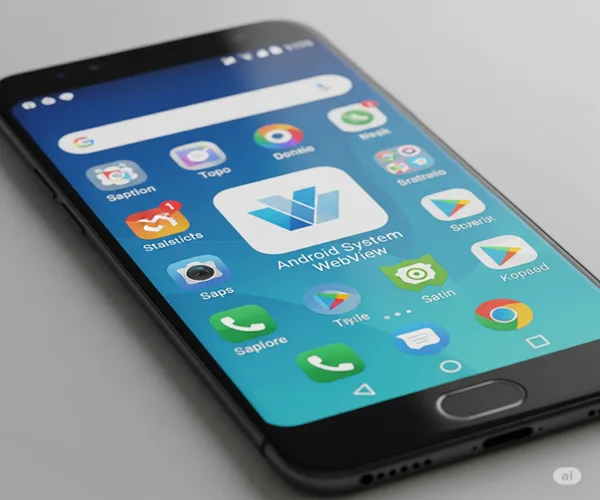
Android System WebView

It is an Android Application which is developed by Google and Powered By Chrome and it is one of Google’s Preinstalled App in Android Phones (In Many Versions). It Is Designed to Help the developers to Give inbuilt web browser to the users in any Android Application and it Helps Android Mobile to Save the Memory Used by Extra resources(in Chrome). Basically, it makes Possible For Android Applications to display web content to make user Experience better.

For Better Understanding Let Me Tell you with some Android Webview  example.

When we are Using Facebook App and try to Open a Link then it gets opened on Facebook without opening Chrome or any other Browser. that’s because of the Android Webiew.

Hope You understand Whats is Use of Android WebView and What is it For.

FAQs about Android WebView

Here are Some Answers For Some Popular Questions People Want to Know About Android webView Application.

Should I delete Android System Web View?

First Thing is that You Cannot uninstall the Android Web View App by Normal Method. You Need to Use Some Advanced Method to Uninstall this App. But wait, Do You Really Need to Uninstall Android Web View App?

No, Because it is System App And used in Many App to work Properly if You Uninstall this App Many Functionalities in Many Apps May Not work properly. And If You Try to Uninstall this App For Free More Memory then Let me tell you There are no Memory Benefits From Doing This. So Don’t Uninstall This app.

Can I Disable Android system web view?

You Can Disable This App If You Don’t Want to run it. And Enable it when you need it.

Do I need android system webview ?

Yes, Because Many Applications Work With it And cannot Run Properly without this Webview App.

Is Android system webview spyware?

No, this App is From Google. We Can trust On this Application Blindly.

Programmatic TV Advertising: The Future of Smart Media Buying

Programmatic has grown to be a popular method of purchasing digital impressions and is set to become a revolutionary model in TV advertising. Via bespoke software, the system automates the buying of media inventory within a specific target demographic.

Where traditionally the marketing of a sports product might be aimed at the viewers of a sporting show, programmatic enables broadcast to an audience with, say, a particular income bracket, whether they are tuned into a sports programme or not. This methodology will see a significant boost in the value of TV inventory.

Is Real-Time Bidding a Method of Purchase?

Once the suitability of the inventory has been determined by the software, it can be purchased. While RTB (real-time bidding) is a common way of buying online media, because there is a limited supply in the TV marketplace, it will not be a primary purchasing method for programmatic TV advertising—although it is likely to still be used in some cases.

Benefits of Programmatic TV Advertising:

Programmatic TV advertising enables the instantaneous and data-driven purchase of inventory. As such, broadcasters and distributors are able to fully monetise their inventories, while advertisers benefit from even more specific targeting.

Traditionally, the buying and selling of TV inventory has incurred numerous manual procedures including requests for proposals, insertion orders, and ad trafficking. Programmatic cuts out many of these labour-intensive tasks, making the whole process more efficient.

It is not just the networks and marketers who stand to gain from adopting the approach. Programmatic TV advertising is also beneficial to audiences, as viewers are not subjected to irrelevant or repetitive advertisements.

Will It Really Catch On?

There is a great deal of speculation on how successful programmatic TV advertising will become. In the United States, the market is currently worth around seventy billion dollars per year, and its value is expected to rise to approximately eighty-four billion dollars by 2018.

Long-term players in the TV industry have expressed scepticism, and many voice the mindset of: “if it’s not broken, why fix it?” There is a wariness of commoditising or devaluing prime time commercial space.

However, as RTB is unlikely to be a common buying method for programmatic TV advertising, this shouldn’t be a major issue. In these early stages, it is likely that large networks will lack the motivation to adopt programmatic, whereas the lower-tier channels—who possess an abundance of inventory—will probably embrace the approach a lot quicker.

In 2015, it is anticipated that three to five percent of TV inventory will be sold programmatically. At present, the most efficient software can automate insertion orders and make use of basic demographic information.

The technology is unable to provide certainty that the target audience is definitely watching, or whether it’s a target’s friend or relative. Although current data in the marketplace is not yet as sophisticated as it is across digital media, trusted information will become more accessible, which is why programmatic has a lot of potential. The progression of programmatic TV advertising has been likened to the emergence of computerisation in the 1980s.

The Future of TV Advertising:

It’s clear that programmatic TV advertising is going to take a while to catch on, but many have already recognised the benefits that it provides.

Software companies have begun to offer systems that allow media partners to sell TV inventory using the same tools as for online advertisements. Developments like this pave the way for a uniform approach, and a method of cross-screen execution that means consumers can be targeted whether they are watching TV or using a mobile device.

The advancements that go hand in hand with programmatic have the potential to revolutionise the industry, completely changing TV advertising as we know it.

What is Payment API?

There is certainly profit to be made with online merchant services, but you face a very distinct challenge. Merchant service providers are a dime a dozen. If you hope to stand out from the crowd, you need a unique selling proposition that resonates with your clients.

This means moving beyond hackneyed claims like “the best security” or “the best rates.” Instead, you must offer prospective buyers something truly unique. To achieve this, you need to work with an advanced payment API.

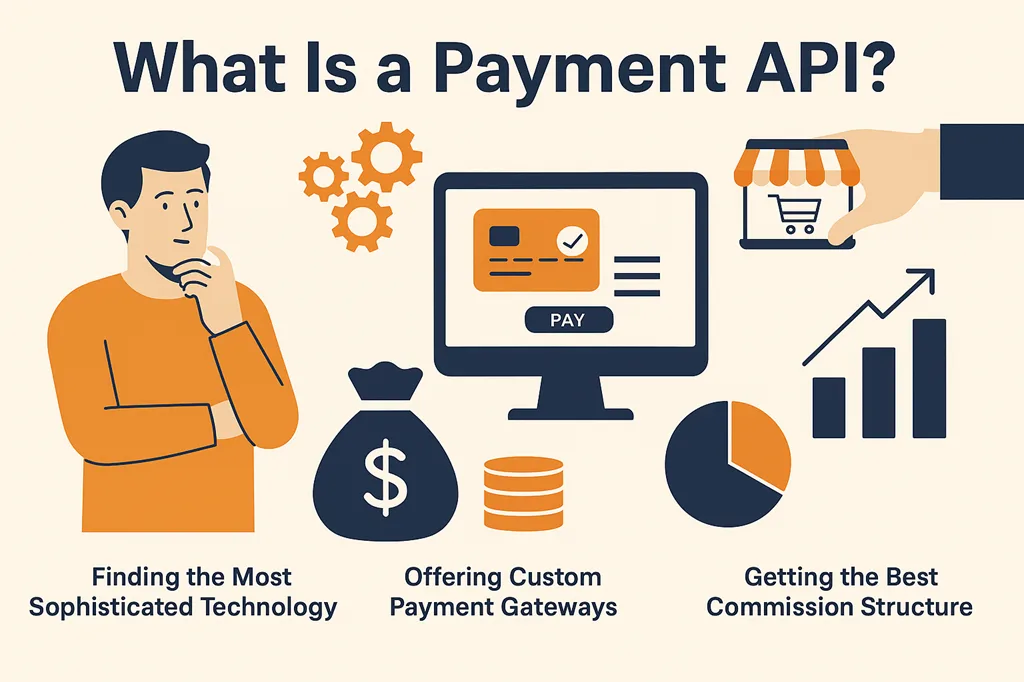
Finding the Most Sophisticated Technology:

Merchant providers are common, and most of the time, a business owner looking for these services is simply searching for the lowest rates. While offering competitive pricing is important, your real edge lies in the technology you use.

When selecting a payment API as the foundation of your offering, you must choose a partner that delivers the latest in payment technology. This includes easy payment gateway integration with all types of websites, including those built with Java, C#, and PHP.

With this foundation, you can use the payment API to create unique solutions tailored to your clients’ needs.

Offering Custom Payment Gateways:

What will set your business apart when using a payment API is your ability to provide truly customized solutions to clients. One effective strategy is to design a few basic packages that clients can choose from, with different rates based on the features included.

At the enterprise level, you can work with larger companies to build custom solutions that create a one-of-a-kind shopping experience.

Having access to a payment API allows your developers to make any necessary adjustments—from small changes to the shopping cart design to more complex security features.

Getting the Best Commission Structure:

If you’re seeking the most advanced payment API with competitive rates, Base Commerce is making a strong impression in the digital marketplace.

With an accessible SDK and powerful API, Base Commerce equips you with all the tools needed to thrive in the merchant services industry. Their base rates are also very reasonable, giving you room to negotiate and resell services.

What really sets Base Commerce apart is their commission structure. Unlike other companies that pay commissions only upon signup, Base Commerce offers ongoing commissions. This continuous earning model reflects their appreciation for partners using their system.

With cutting-edge technology and a robust payment API, it’s hard to find a better deal.

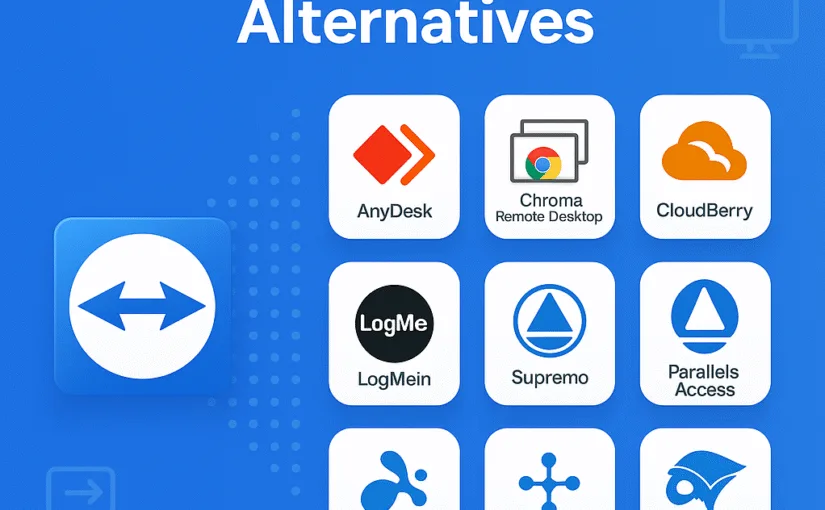
9 Best TeamViewer Alternatives (Free & Paid)

In this article, we are going to explain our viewpoint on the 9 Teamviewer alternative. As a matter of fact, the team viewer is the remote management, and remote software solution. Furthermore, when we are talking about remote management then Teamviewer is the best, and other alternatives may lack in some fields. However, many companies charge high prices for remote management and access to other computers.

Finally, we will try to share a maximum list of free 9 Teamviewer alternatives. Teamviewer is a very useful application with comes with lots of helpful functions such as – chats, control another device, attend meetings, access devices, access contacts, grant easy permissions, file transfer, remote access, desktop sharing, web conferencing, online meetings and lots of other important features, and functions. Many business meetings are also conducted by team viewer because of its safety and security provided by them.

Glimpses on Teamviewer

Apart from this, there are more than thousands of applications that are already in the market to provide remote control management. Other applications also provide similar facilities. Here we are having the list of 9 Teamviewer alternatives for windows as well as Linux software.

However, we will surely mention the pros, cons, and features of each alternative we provide. In the year 2016, there were lots of conflicts on team viewers due to which the users of the applications started searching for the alternative.

Furthermore, many users reported hacking, licking data, and deduction of extra payments taken by users from the Teamviewer. In spite of many complaints by the users the company did not help them, rather working on the shortcoming factors such as – tighten security, and finding hackings reasons.

Though the Teamviewer is a very useful application with lots of helpful, and important facilities. Now let’s start our content on 9 Teamviewer alternatives.

1. CloudBerry Remote Assistant – Best For Individuals –

Features –

As we know that TeamViewer has an established market and large user base. Moreover, TeamViewer is running in the market for the longest time. In spite of that, many users facing lots of issues, at first no one believes, but then people realized that they actually need an alternative of the application. As a matter of fact, we are sharing 9 Teamviewer alternatives, and in our deep research and analysis, our first alternative of Teamviewer is cloudberry remote assistant. Furthermore, after the recent update of the cloudberry remote assistant application, it introduced the RSA algorithm i.e according to the update the user will be secured digitally and protected by SSL encryption.

pros –

  • Comfortable, and amazing packages
  • Protected by SSL encryption
  • Free remote access
  • Easy controls and features
  • Quick support system
  • Easy file transfer
  • Unattended Access
  • Free tool for text and voice chats, and communications

Cons –

  • Other region authentication Problems {sometimes}
  • Only available for windows, mac, and ios
  • Not available for Linux

Finally, cloudberry remote assistance is a good alternative of Teamviewer, and the popularity of this application is increasing day by day. Moreover, we know that it is a free application i.e it provides free services and comes with an amazing package. Importantly, cloudberry is going to take a competitive market in the field of remote control assistance.

2. AnyDesk

Features –

When we talk about remote management assistance, then AnyDesk is the first application that popup in our mind. Definitely, AnyDesk is available in smartphones, windows, MacBook, tablets, etc. Furthermore, it also runs on Linux which is one of the best parts for Linux users. This application also packed up with tons of benefits, and helpful features just like team viewer. It is a completely free app for personal i.e. individuals, but when you use it for business purposes then you will need to pay some nominal price to them. This application is also famous for reliable, secure, and safe use, which means that your privacy will be secured by them. AnyDesk is also famous for fast data transfer which is 60 FPS.

pros –

  • Lightweight
  • Free applications for personal use {paid for business}
  • Fastest data transfer
  • Makes online meetings easier and safe
  • Record your session
  • Secured from unauthorized access
  • Flexible to use

cons –

  • Drawing on the screen not allowed
  • High prices for licensing and business use
  • Phone application does not allow access to another device

3. LogMeIn

In our list of 9 Teamviewer alternatives, our next list is LogMeIn. As a matter of fact, LogMeIn in easy to use, simple, reliable remote access management. However, this application only comes with the professional version i.e. free version of LogMeIn is not available. Furthermore, Most business persons may prefer this. Furthermore, free trial of LogMeIn is easily available just you need to fill up the credit card details and you can avail the free trial. As a matter of fact, LogMeIn is the #1 remote access management tool in this niche.

This application can easily be run with both desktops as well as mobile. Moreover, LogMeIn allows sharing files in the fastest speed, time and data saving, work from any network connections, etc. As well as that, the support system of LogMeIn remote desktop control is also one of the major advantages. Unquestionably, It can be a good option for those who are searching for premium applications with simple, easy to use, and reliable features.

PROS –

  • Time and cost savings
  • Reliable, simple, and easy to use
  • Can be operated from anywhere, anytime
  • Unlimited users extend
  • Seamless remote controls
  • Easy printing options available
  • Multi-monitor display
  • Free trial available
  • HD display remote access
  • No risk, It’s complete secured
  • Drag and drop file transfer

CONS –

  • The free version is not available
  • High pricing
  • Not suitable for personal use
  • The chat feature can be improved.

4. Splashtop

Features –

Undoubtedly, Splashtop is one of the best remote control access management software for businesses as well as individuals. It is the premium application available for windows as well as ios. Furthermore, it comes with a pricing policy of 5 dollars per month for business access solo. It comes in 8.25 dollars per month for business access pro. However, this is the price when you purchase it on a yearly basis.

PROS –

  • All in one solution
  • File transfer
  • Easy remote access
  • Available for Windows, Mac, iOS, Android, Chromebook, & more
  • Audio access
  • Share desktop via link
  • Chat support

CONS –

  • Free version not available
  • High CPU usage

5. Parallels Access

FEATURES –

Without a doubt, Parallels Access remote access provides the fast, simple, and most reliable service and support which can be accessed anywhere, and anytime. One of the great advantages of the application is you are getting all the features at one place such as – file transfer, data transfer, chat, audio, etc. the 24/7 support service helps you anytime you need. Undoubtedly, The best part of the application is that you can attend the session on your own mobile phones too.

PROS –

  • Fastest remote access
  • Simple and reliable use
  • Mobile viewing available
  • No connection drop issues
  • 24/7 support available

CONS –

  • Only works as accessing device

6. Supremo

A powerful application in the field of remote access management. supremo comes with lots of useful features such as – easy to use, lightweight application, no data configuration, attach business proof, at last, its available in affordable pricing. One of the great advantages of this application is that it allows proper design and customization for business users such as – customization of logo, design, etc.

PROS –

  • AES 256-bit encryption
  • Easy customization for business
  • Set up business logo
  • Interface customization
  • Simple, and reliable
  • Lightweight and easy to use
  • Affordable pricings
  • No configuration required

CONS –

  • Voice chat support not available
  • Not supported on mac os

7. Goverlan Reach

FEATURES –

Moreover, If you are searching for an application to perform business solutions for accessing other devices, managing other systems tasks, streamline, etc.  Goverlan Reach is basically designed for simple and easy use, advanced remote management services, IT automation, IT reporting, global configurations, patch management, background system management, etc.

PROS –

  • Easy free trial available
  • You can schedule a free demo
  • Acess other devices securely
  • Multi-screen monitor
  • Fast connect
  • File transfer
  • screen capture
  • Audio chat available
  • Centralized auditing

CONS –

  • High pricing
  • Not suitable for beginners

8. Chrome Remote Desktop

FEATURES –

As a matter of fact, chrome remote desktop is an extension that is easily available in the chrome extensions. Moreover, it is the perfect remote access management that provides light usage just with the help of the extension. One of the best parts of the application is that it is free to use application which makes it attractive to use.

PROS –

  • End to End encryptions
  • Used in mac, windows, and Linux
  • Fully secured
  • Easy to operate

CONS –

  • Only used with the help of chrome browser
  • Bugs problems
  • Lots of zooming in and out
  • Not suitable for business purposes
  • Does not work when pc goes on sleep mode

9. Connectwise Control

FEATURES –

Without a doubt, ConnectWise Control is a premium application that also allows free trial facilities i.e. you can use their premium application for a few days and you will not be charged for it. In addition, there are few important features of Connectwise control which actually helps to establish remote control access such as – affordable prices, 256-bit encryption, integration of third party application, etc.

PROS –

  • 256-bit encryption
  • Affordable prices
  • Integration of third party application
  • Quick and secure connection
  • 24/7 support
  • Marketplace extension
  • Free trial

CONS –

  • Not supported in ios
  • Only for business
  • Not suitable for individuals

CONCLUSION –

It was our deep analysis on 9 TeamViewer alternatives where we have selected simple, and reliable alternatives for TeamViewer. Furthermore, we have listed the top 9 application which is – CloudBerry Remote Assistant, -AnyDesk LogMein, Goverlan Reach, connectwise control, chrome remote access, supremo, parallel access, and Splashtop. Hope our content 9 Teamviewer alternatives was useful for you. Thank you.


7 Best GST Billing Apps in India for Small Businesses

Billing is an integral part of the business. But conventional billing has become an onerous task due to the changed taxation system.

Indian Government had implemented Goods and service tax (GST) on 1st July 2017. This is one of the biggest tax reforms which replaced about 18 direct or indirect taxes. To surmount even with this new taxation system businessmen are replacing the traditional system of manual billing by technology.

There are many apps in the market. But which one is easy, systematic, and affordable? To ease out your search, we bring you the list of 7 best GST billing apps along with their pros and cons.

Before starting our topic: 7 best GST billing apps, we should know why these billing apps are important in business.

Importance of GST billing apps

The digital billing system or apps not only reduces the work burden of business personals but also minimizes the chance of human errors.

The calculation of outstanding stock, overdue payments, maintaining records of different cheques or credit card payments, to stay updated to your business, etc. are very difficult to maintain through manual or traditional business style.

On the other hand, the digital application and software reduce this difficulty to almost zero. As a result, for good, growing, and healthy business you need a good, reliable, and featured application.

1. FloBooks

Flobooks is an easy and fast billing of India’s mobile app. However, its main focus is on MSME like wholesalers, traders, and distributors. It is useful in maintaining day to day tasks.

Features

  • Customization of a bill by adding your logo and signature.
  • Low stock alert feature. It notifies you whenever the stock in your inventory comes below the required level.
  • A Voice search feature is available to add items and create a bill.
  • The payment reminder feature is also here. You can send and set payment reminders for your customer and suppliers. Moreover, you can send reminders through SMS and WhatsApp.
  • It offers you a feature to improve your business relations by sending personalized greetings on WhatsApp for a birthday, festival, etc. Also provides hundreds of greetings choices. Above all, you can add your company name, logo, mobile number on it.

Pros

  • Brand building through cards and greetings.
  • Paramount data security.
  • Training the
  • Compatible with Android 5.0 and up.
  • Barcoding facility.
  • Technical support through WhatsApp.

Cons

  • A multi-currency facility is not available.
  • No personal training.
  • The app is a bit slow
  • Contact Database is missing

2. Vyapar

Vyapar is a GST-compatible invoicing and accounting software for small businesses. Most importantly, one can perform their regular business tasks right from their smartphones without the internet.

It has both mobile and desktop versions. However, the mobile application is free and desktop application has a 30-day free trial period.

Features

  • There is an option to share your invoice directly from WhatsApp. This option makes your business more comfortable.
  • It can also track unpaid bills. By the help of this feature, businessmen can easily figure out the exact amount that needs to be recovered from the market
  • You can send payment reminders. This feature allows you to send a reminder directly to the party regarding the delay in payment.
  • You can also receive or send payment through UPI. Therefore, the digital transaction feature makes this app more user friendly.
  • Track business expenses. You can track your business expenses that make your app more business-friendly.

Pros

  • In the paid version, you can access more than one account
  • Ease of Data entry: you can enter your data in an easy manner
  • You can share updated business data: Sharing of data to employees, friends, and also to the accountant is easy
  • Remote access: You can access your account from everywhere

Cons

  • Purchase history is not available
  • Same login credentials for everyone
  • Everyone having the login ID password can make the changes even your employees.
  • No customizing option for bill

3. Book Keeper

A Book-keeper is one of the most simplified accounting solutions for traders, retailers, wholesalers, and manufacturers. Moreover, its data can be accessed across devices by syncing. It can be used on Windows, Android, and IOS platforms. The Bookkeeper can also use to generate GST invoices and generates GSTR-1, GSTR-2, GSTR-3B, and GSTR-4 reports.

Features

  • Solves all inventory, accounting, and taxation processes.
  • Uploads all data and information directly to Dropbox instead of storing it on its own server.
  • Efficient inventory management. Allow to track and manage the stock, in and out of the company and also maintain the up-to-date status
  • Provides end to end integration with tally.
  • Can also function as retailing /POS software.
  • Payment reminders: automatically reminds the party about the overdue payment
  • Payroll: allows tracking employees working hours and automatically payroll filing and tax calculation
  • Effective for small scale businesses.
  • Supports manufacturing.

Pros

  • Can function both online and offline, which makes the app more accessible.
  • Secure use, as data can be accessed only with Dropbox access details.
  • Inventory reporting allows us to get customize reports anytime.
  • Generates compact, comprehensive, and statical reports.
  • Provides sales capability.
  • Runs from anywhere.
  • Award-winning customer support.
  • Can connect with other apps and software.
  • Helps to create multiple users with specific tasks.
  • Availability of easy access to payroll.

Cons

  • No option to update the e-way bill number from the user device.
  • No multi-currency option is available. This restricts your business to grow in abroad.
  • Don’t have an account group balance facility.
  • Its dashboard needs to be redesigned, as to see complete balance at a glance instead of scrolling.

4. QuickBooks

Quickbooks provides technology with tradition. They are in the market for the last three decades and have grown to about 2.2 million users. However, they offer four pricing stages. Its graphics and shortcut tabs make it a good choice for people new to billing and accounting.

Features

  • Avail customized professional and multilingual invoice. This feature makes this app accessible to everyone.
  • Live bank feeds establish smooth transactions and better cash flow management.
  • Expense tracking and also mileage tracking of employee working hours.
  • Long-awaited project management feature. Therefore it makes this app accessible and beneficial for big project holders.
  • New pricing plans for large businesses.
  • Strong report.
  • Ability to calculate project profitability: Makes your business more clearly.
  • Have very flexible functionality and good financial connectivity.

Pros

  • Advanced invoice features.
  • 650+ app integrated
  • Cloud-based hosting for better data security.
  • Unlimited maintenance.
  • Accessible to multiple users allowing teamwork.
  • Good tax support.
  • Free unlimited support.
  • Comprehensive payroll support.
  • Inventory management.
  • In-depth contact record.
  • Customizable reports.
  • Doesn’t support manufacturing.

Cons

  • Expensive to use. Therefore, it is not preferable for low budget businesses.
  • Complex for beginners due to poor documentation.
  • A very long and complex system of professional support.
  • Instability and file size issues.
  • Doesn’t support manufacturing.

5. Tally ERP 9

Tally ERP 9 is beneficial for organisations including small, large industries, and also for non-profitable areas. Main features of the app are mentioned below:-

Features

  • It is easy to use, has no codes, robust and powerful, executes in real-time, operates at high speed, and above all it has a full-proof online help. These things make it one of the best apps.
  • It provides a record to post-dated transactions supported with a post-dated register. Moreover, your receivables and payables bills are managed automatically while you save your invoice
  • Tally provides you to maintain and manage accounts of 9,999 companies. It gives unique features.
  • Tally ERP 9 gives you banking support. By this feature, not only you can easily manage cheques but also the e-payments with multiple banks
  • Inventory management, it provides you to form infinite stock groups, categories, and multiple godown & track godown wise stock.
  • Easily files GST return, GSTR-1, GSTR-2 & GSTR-3B

Pros

  • Data reliability and security: The data entered in the software are secured and safe.
  • Payroll management: It maintains the financial record that includes net deduction, net payment, bonuses, and taxes.
  • Ease of regulation of data: It allows us to bring a common calculation for all the branches of the company
  • Ease of maintaining budget: It allows to manage expense according to the budget allocated
  • Multiple currency support: You can record invoices, quotations, orders, accept payments, and receive bills in foreign currency.
  • Can work both online and offline.

Cons

  • Internet database flaw
  • Lack of important feature to increase productivity
  • Expensive than other apps.
  • Do not allow data import features

6. Zoho Book

Zoho-Book is one of the most affordable and smart accounting applications. Moreover designed to facilitate beginners as easy to use. It is basically for small businesses as it doesn’t offer payroll. However, it is a completely cloud-based application ensuring good enough uptime, security, and support.

Features

  • Can send professional invoices to customers and receive online payment.
  • Provide features like cash flow statement, P and L, Balance Sheet, etc that helps in controlling companies’ finances.
  • Financial information is available on the dashboard through graphics on the dashboard itself.
  • Notify and organize all types of transactions on the same platform.
  • Allow managing the finances of individual projects.
  • Facilitates to schedule payment reminders that can be automatically emailed to customers.
  • Can schedule reports to be automatically generated weekly.

Pros

  • Automate bank feeds and payment reminders.
  • Manages and tracks projects.
  • Multi-lingual.
  • Mobile ready.
  • Attractive and informative dashboard.
  • Project time-tracking is easy.

Cons

  • Not much suitable for large businesses as there is no payroll facility.
  • One has to pay separately for the subscription of each business though under the same account.
  • CRM data flow can be slow sometimes.
  • Little clunky particularly when processing receipts.

7. Fresh Book

Fresh Book app is another flawless and good app to keep your GST billing cycle running smoothly.

Here are some significant features of a fresh-book app.

Features

  • Customizable invoice: it has features to change color and font, add the logo to make your invoice pretty
  • Automatic payment reminders: For instance, you got some clients that hardly remember to pay your amount back in time. Then this feature will ping the clients to remind them about the payment
  • Simple summary: know your outstanding and overdue instantly
  • Tax friendly category: your expenses are ready in an expense category at the time of GSTR return.
  • Remember Vendors: all your commonly used vendors are remembered.
  • Accept credit card online

Pros

  • Accept international currency
  • Relationship feed: You’ll have an up-to-date log of all invoices and communications sent to each client for easy reference.
  • Easy File sharing
  • Automatic payment recording: your credits will be up to dated automatically if you accept credit card
  • Attach your receipt with the bill (pdf or jpg)
  • Personalized ‘thank you’ Email

Cons

  • Number of the billable client is 500 only in the premium version
  • The mobile app is restricted in many features, for example, it doesn’t allow reports on the go
  • The program is not good for a complex business-like inventory tracking and vendor management.
  • For recurring invoices, additional payment is required

Conclusion

So, according to my fact-finding, here is the list of best GST billing apps. However, no app is perfect. I will counsel, to once go through your needs before choosing any app. Here are a few of the following things you may consider: –

Do software work both online and offline? You must check whether your app works offline or not. It makes your business internet independent.

Is your data safe and secure? You will need to store a lot of important data and information on it. So, ensure at least proper encryption and password facility.

Do its features fulfill all your requirements? Every business needs different approach. Therefore, while choosing your app make sure that it fulfils all your business requirements.

Customization: Look for an application that can migrate the existing system to a completely new version.

Consider the complexity level: GST is already very complex so better go for the simple handling application.

Availability of support: The application should provide every kind of support and help regarding its uses.

Compare the charges: In the end, you must compare the price of selected apps. Consider your budget and also pay only for the features you are really going to use.