How to Protect Your Business with Smart Technology

The Importance of Business Security in the Modern World:

Running a business comes with all kinds of responsibilities. No matter what type of industry you work in, there’s always a risk to your security. The good news is there’s plenty of software and technology out there that can help to protect you and your clients/customers.

Things like Situational Awareness, which can reduce the risk of human error and manage the flow of information coming into a business, can make all the difference. So if you aren’t currently protected, now’s the time to change that.

How Can You Protect Your Business?

Cyber threats usually aim to do one of two things: either get your business offline or steal your client/customer information. Both of these situations can cause serious problems, so you need to be prepared.

High-quality anti-virus software and SSL encryption will help to prevent cyber-attacks and secure sensitive data from unauthorized access.

Human Error Is Also a Threat:

It isn’t just cyber-attacks you need to be worried about in business. Things can also go wrong because of human error. If your staff aren’t on the ball, mistakes can occur that can cause serious problems for the company.

For example, a simple mistake in payroll could lead to your employees not getting paid what they should. This can cause problems with productivity, as well as a poor working environment. The odd mistake is understandable, but if it keeps happening, it can lead to long-term issues. That’s where technology comes in.

Changing Your Attitude Toward Security:

As reported in The Guardian, protecting your business against cybercrime isn’t just about having the latest software; it’s about changing your attitude.

If you remain naive to the risks, you leave the company wide open for attack. It’s important to realise the risks and protect your business before something does go wrong.

Keep Your Technology Up to Date:

In order to protect your business, you need to make sure your technology is up to date.

It’s pointless investing in software that’s a few years old. As technology advances, cyber-criminals become smarter. So if you’re using out-of-date technology, they will have no trouble getting past it.

However, that’s not to say you should invest in new technology as soon as it’s released. The Business Journals have produced a useful article highlighting the best time to invest in new technology for your business.

Benefits of Using Technology to Protect Your Business:

As well as being able to prevent cyber-crime and human error, technology can also free up time for your staff to focus on other issues.

It helps to make your business run more efficiently and limits stress from security attacks.

Conclusion: Technology Is Invaluable for Business Protection:

Overall, technology is invaluable in the business world. By investing in high-quality, advanced software, you could really make a huge difference to the business.

Not only does it give you peace of mind, it builds up the trust people have in your brand. Why not take a look at the various situational awareness and anti-virus protection currently available on the market?

Do you need a user-friendly professional Website or a digital agency? See our services

Why Your Retail Business Needs Inventory Software

Why Retail Businesses Need Inventory Management Software:

As a retail business owner, you’ll have to deal with the management of your inventory, regardless of the size of your company. If you’ve experienced inventory management, you’ll understand that it’s one of the most stressful, challenging, and, not to mention, costly aspects of running a business. There’ll come a point where you need to take a step back and think about whether it’s time to consider adopting an inventory management system.

How Inventory Software Simplifies Business Operations:

Inventory software can make running your business significantly easier and addresses these key issues:

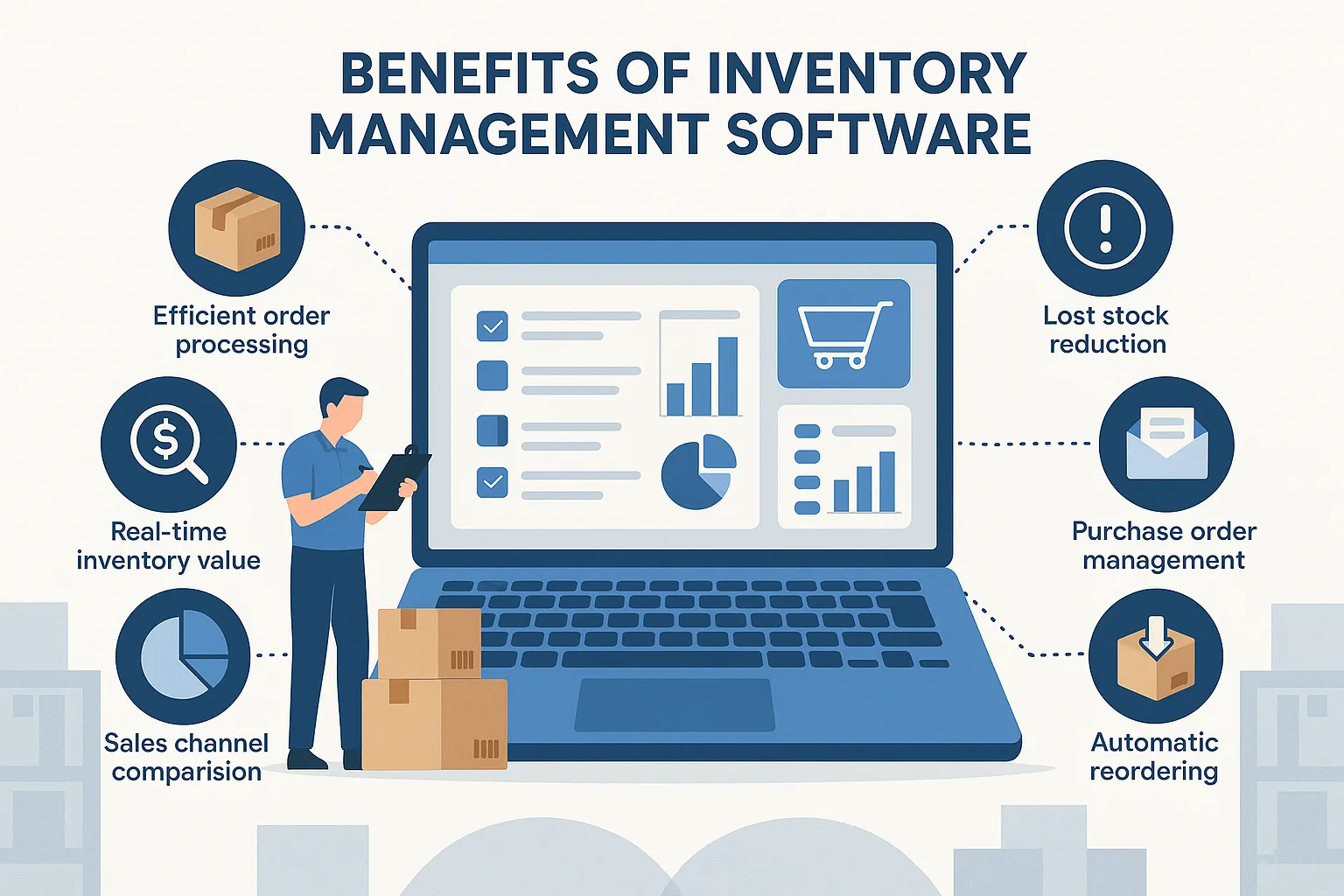
  • The efficient processing of customer orders means ensuring you have stock to fulfill the orders.

  • Reduce stock shrinkage, also known as lost stock.

  • Provide real-time clarity on how much inventory value ($/£) you are holding at any given moment.

  • Quickly respond to any inquiries from customers.

Manual Inventory Management Is Time-Consuming and Costly:

Organising your inventory and procurement process manually with paper and pen is time-consuming, costly, and wasteful.

Streamline Procurement with Inventory Software:

Inventory software allows you to keep on top of your suppliers so you can create and email purchase orders to them, then easily book stock against the purchase order when it arrives.

Automate Reordering to Avoid Stockouts:

You can set reorder levels so that when your stock level of a certain product reaches its minimum quantity, the software will automatically order new stock, ensuring your customers are never disappointed.

Access Detailed Order History and Sales Forecasting:

Inventory software can also give you access to your entire order history, so you can view exactly who ordered what and when. This can be great for forecasting your sales and working out those re-order levels.

Real-Time Sales and Order Tracking:

Depending on the software, it can also provide live updates and keep track of all your sales and orders.

Manage Inventory Across Multiple Channels:

If your inventory software works on multi-channels, it can deal with inventory across different shops, offices, and warehouses, allowing you to see which marketplaces your products are listed on, and also edit them.

Analyze Channel Performance with Multi-Channel Inventory Software:

Multi-channel inventory software can also be great for comparing channels in graphs, so you can see exactly where your sales are coming from, allowing you to identify which channels are performing best for your business.

How VPNs Protect Your Privacy Online | VPN Security Guide

What Is a VPN and Why It Matters for Online Security:

Virtual Private Networks (VPNs) allow computers to send and receive information on platforms such as the Internet. Those providing resources and connections pledge legitimacy and privacy regarding users’ personal information and behavior.

With more consumers purchasing mobile devices, laptops, iPads, Kindles, etc., with Internet accessibility, attention to security is in high demand. Yet, a significant number of VPN users could be neglectful in placing great trust in providers.

VPN Logging Practices: What You Need to Know:

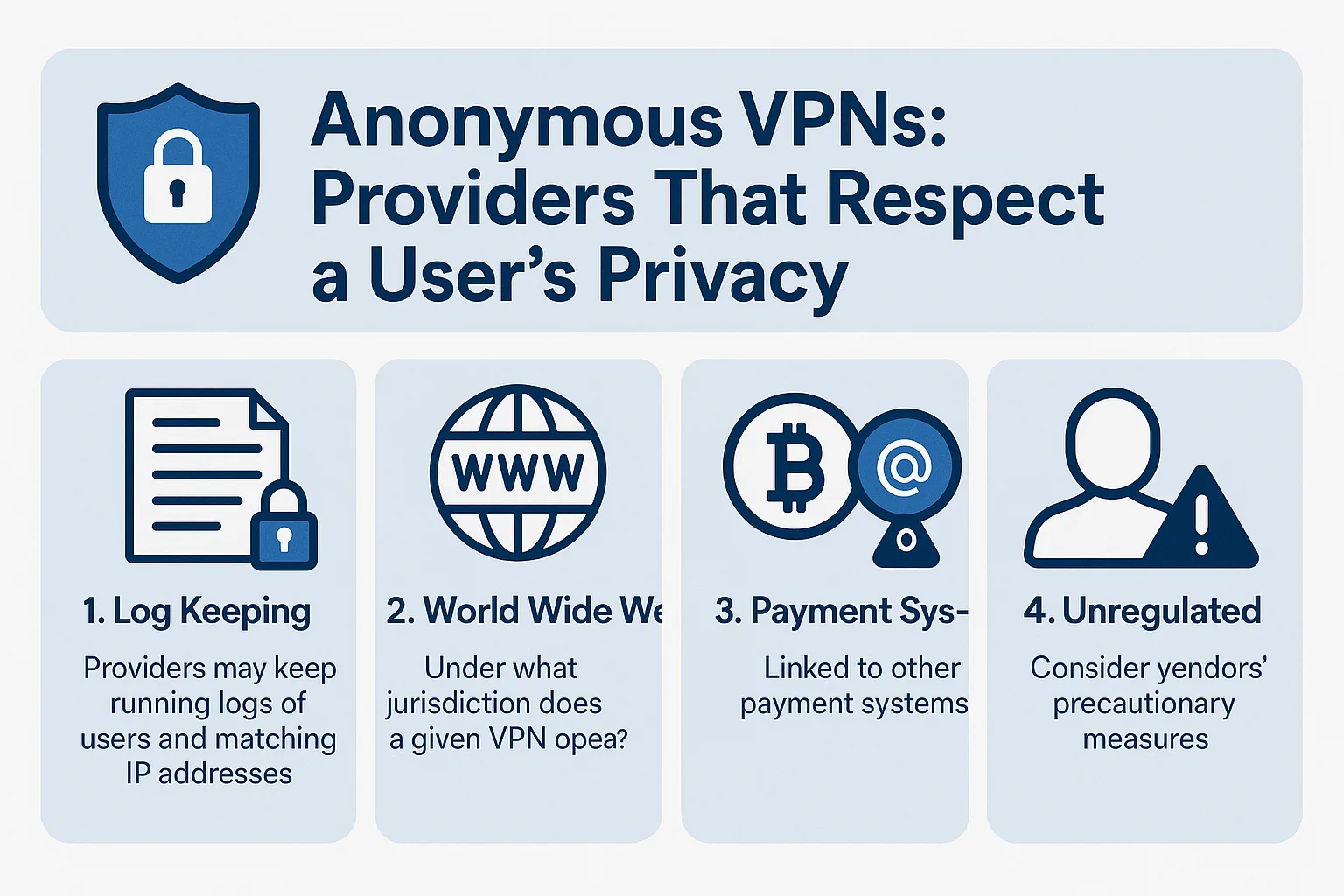
Providers may keep running logs of users and matching IP addresses, possibly exposing information and identity to a third party. Keen providers do not keep running logs on servers, not even for a second (“We keep no logs. This would make both us and our users more vulnerable, so we certainly don’t.”). Yet, it’s a point of exposure consumers do not commonly think about when using a VPN.

VPN Jurisdictions and Legal Responsibilities:

The Internet is worldwide; services may originate from anywhere, all with distinct rules and jurisdictions. Under what jurisdiction does a given VPN operate? Furthermore, what are their restrictions and responsibilities regarding your private information and third parties?

Some VPN providers indicate they “will not share any information without a valid court order,” later stating, “it would be impossible to align a user’s identity with their IP address.” Consoling words, yet it’s up to the consumer to do their homework on VPN providers.

Payment Systems and Privacy Risks:

A number of VPN services are linked to other payment systems, creating the potential for a security breach. While all providers pledge the utmost measures of security, some urge users to engage via an anonymous email. Furthermore, some mention the use of Bitcoin (“We would like to encourage our users to use an anonymous e-mail and pay with Bitcoins to ensure even higher levels of anonymity should it be required.”).

Consumers must consider exposure on one platform as well as that platform’s relationship to other third-party services.

VPNs and the Risk of Unregulated Content:

Online piracy of content runs rampant as download sites offer free music, books, movies, etc., illegally. Those offering downloads are subject to fine and years of imprisonment. Penalties are reserved for publishers as well as those downloading. Some cases have found defendants guilty of downloading less than 50 songs, yet attracting penalties equaling in the thousands.

Ensure a given VPN provider works in accordance with the DMCA. Seek vendors (such as Vuze.com) abiding by copyright and content regulations.

VPN Encryption and Data Protection:

VPN services provide a network of possibilities, yet there should be zero reason to maintain the actual data. That is why services encrypt data, making it virtually impossible for hackers to align identities with personal IP addresses. Even when using public services—from a café, for instance—all public users should be safe from one another and outside hackers, disabling theft of personal information.

Of course, providing credit card and personal information over a VPN source does create another layer of possible intrusion; therefore, all consumers need to proceed with caution.

Final Thoughts on Using VPNs Safely:

Using VPNs is a convenient and oft-leveraged service, yet users need to keep aware of vendors’ precautionary measures, facilitating the security of personal information.

What to Avoid When Choosing a Web Hosting Company – Expert Tips

Ready to Take Your Business Online?

Are you ready to take your business online? Are you worried that you will not find a dependable and reliable web hosting company? Instead of just picking the first ad you see, you should learn what to avoid so you truly find a great home on the net for your business presence.

Avoid the Cheapest Web Hosting Providers:

The very first thing you should avoid is choosing the cheapest web host you find. Too many times, businesses are new to the internet and may not realize what troubles they can have with a free hosting company. Most of these websites are actually designed to attract new customers that do not know anything about hosting, so you may not receive all the features that you should, or you may only be allowed a small one-page website.

Beware of Free Hosting Ads:

Most free hosting companies will place ads on your website that will take your potential customers to another website. The problem here is that in many cases, these large annoying ads are often the reason that your potential customers will find another company instead of yours. They may believe you are a fly-by-night company only wanting to make money from ads on your website—not realizing it is your hosting company’s ads.

Slow Website Loading Times:

Another problem with free hosting services is that in many cases, your website will load slowly. If you have incorporated videos or photos, this will certainly be a turn-off to potential customers who are always in a hurry.

Limited Design Options and Branding Issues:

Free or cheap hosting companies often do not offer versatility in the designs of their websites. In order for you to brand your website and your company, you need to create a website that will identify your business as soon as a visitor arrives—not one that looks like others on the net.

Avoid New or Unverified Hosting Companies:

Avoid a new hosting company. It would be best to choose a web hosting company that has been around a while or that has great references. You should look up the company on the BBB and ensure there are no complaints. New web hosting companies may not stay in business, and you could be here one day and gone the next.

Read Terms and Policies Carefully:

Not understanding their terms and policies is another major mistake. Always read everything on the hosting company’s website including their privacy policy and terms of services. Learn more about their cancellation process, refund policy, and the entire agreement. All companies will have the things they do not host on these pages such as illegal downloads, while others may limit the amount of bandwidth you are allowed each month.

Make an Informed Decision:

There are many different hosting companies on the market today. Be sure to read and learn about the features you need from a hosting company before you decide. Then, find one that offers what you require instead of just clicking an ad and purchasing a hosting package before you know what they offer. Learn more about web hosting services and you will be pleased with your decision.

Suggestion:

You can contact us to get the best hosting at a low cost: contact us

Top 7 Free Online Calling Websites Without Registration

Hey Folks, In This Post I Will Share Some Top Websites, You Can Use to Make Free Phone Calls Online Without Download or Any Registration.

So Stick With it And Bookmark This Post So You Can Use Enjoy Free International Online Phone Calls with Unlimited Usage (Trick Regarding this At Bottom of the Post).

So With the Help of his article, you Can Make Free Online Call to Mobile From Your PC

Here We Listed the top Services for Free Online Calls to use Without Any Registration or Login.

Free Online Call Without Registration or any Download

We manually find these websites and distinguish between them and list them here so you can get the list of only working websites who are providing Free International Phone Calls Online Without Login.

We tested all of these websites, but some of them are Not Working in all Countries but working fine when calling from a different country.

If any of the websites listed here is Not Working Properly, Then Please Comment Below So we can Update the Post.

For People Who Like to Read More Detail Before Using then Here Is the Detailed info of All Websites listed above.

7. Spytox – Free Calls Online

Spytox Supports Almost every Country, and their Service is becoming popular because other websites in this niche are referring to it for Countries that they do not support. So Future pf this Website is Bright. So let’s talk about their services. They are Providing Free VoIP Calls, Free Sms, Email And Address Lookup By Name. When it comes to Call Limit Spytox is Providing Free 3 Minutes and 3 Free Calls a Day. And All Things Are Working Fine When We Tested this Website And it is Web-based Only.

Extension or App:Fully Web Based Only
Total Free Minutes:3 Minutes
Calls Per Day3
Tracking By:IP
Easy to use (out of 10):9
Country Supported:Almost All
Services:VoIP Calls, Sms, Email And Address Lookup.
Working Status:Working
Website :Visit Now

6. Poptox

POPTOX is the First Website that I find When I know about Free Calls Over the Internet. It is Working fine at that time, But for now, it does not support All countries it is Also Referring to Spytox for unsupported countries.

Extension or App:Fully Web-Based
Total Free Minutes:Unknown
Tracking By:IP
Easy to use (out of 10):9
Country Supported:Unknown
Services:VoIP Calls Only
Working Status:Not Tested
Website :Visit Now

5. WePhone

We Phone is only Available on Mobile App. If You Want To Use We Phone You Must Download and Install The WePhone App on Your Device. There is no need to register to use the app. You get 0.2$ credit for free So You can Make free Calls for Some Minutes. Rates for Call in Us is 0.00850$ per Minutes.

Extension or App:Mobile App Only
Total Free Credit:0.2$
Tracking By:IP
Easy to use (out of 10):9
Country Supported:Unknown
Services:VoIP Calls Only
Working Status:Working
Website :Visit Now

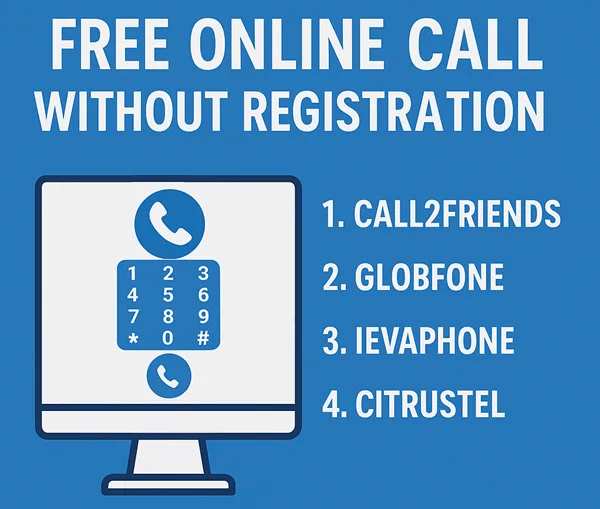
4. Citrustel

Citrustel is not Working For Some Countries So they refer to Spytox for that Country. Due to this We unable to To test Citrustel. They or offering Some Free Minutes For Trial purpose And if You Want To More Minutes you can Buy Credit too.

Extension or App:Fully Web Based
Total Free Minutes:Unknown
Tracking By:IP
Easy to use (out of 10):9
Country Supported:Unknown
Services:VoIP Calls Only
Working Status:Not Tested
Website :Visit Now

3. IEvaphone- Best From All

Ievaphone is my Favorite Website For Free VoIP Calling because you can use it in Android and iPhone also and make Free Calls Online Without Registration. When I am Testing This on Web it is not working and showing “There are no free minutes for direction. Come back later” But When I tested Their Android App, It Is Working Fine and the best thing is that you can also use this app without being Registered there. Initially, we get 4 Credits to use in the app. and Average Rates for India and Us is 1 Credit per Minute. Rates Are Changes with Country and Carrier. So With These Rates, We Have Nearly 4 Minutes For Call.

Extension or App:Web-Based and Mobile Application
Total Free Minutes:2-4 Minutes
Tracking By:IP
Easy to use (out of 10):9
Country Supported:All(Tested For Indian Number)
Services:VoIP Calls Only
Working Status:The app is Working, But Web Based Not Working
Website :Visit Now
Download App

2. Globfone

Globephone is Providing Many Services Related to Free VoIP Calls for Free. And the Good thing is that all the Services works on Your browser without installing any plugin or extension on your Internet Browser. To Make A Call Just open the website and click on Free call and give permission to it so you can communicate on call. that’s all you have done.

Extension or App:Fully Web-Based
Total Free Minutes:Unknown
Tracking By:IP
Easy to use (out of 10):8
Country Supported:Unknown
Services:VoIP Calls, File Sharing, Video Call & Text Messages
Working Status:Unknown
Website :Visit Now

1. Call2Friends – Free Calls Online Without Registration

Call2Friends is an Internet telephone service provider Offering Paid Plans and also Had a Free Call Option with Some Restrictions. Call2frand has a Very simple design just Go And Click On Free Call And You’re on Your Way. And there is No Need to Install any extra Plugin or Download anything to Make Call Via Internet.

Extension or App:Fully Web-Based
Total Free Minutes:Unknown
Tracking By:IP
Easy to use (out of 10):8
Country Supported:Unknown
Services:VoIP Calls Only(Free or Paid)
Working Status:Not Working In India
Website :Visit Now

How to Get Unlimited Usage On Free Calls

You are Gone Through the List Of Websites to make Free Calls Online Without Registration. All of them Are Providing Good Services And Free Calls By Limiting Call Duration Or Calls. But Calling only 2-3 Minutes is Nothing So For this Problem you Can Buy Credit From these Websites or Bookmark this Page and use these All Websites’ Free Minutes. So You Can Get 30-40 Minutes per Day Or Use the Proxies And Clear All Data And Use Again For Unlimited Minutes.

Miccesleonous:

Read More More About Internet Calls Without Registration?

Calling Internationally with our Mobile Operator is Costs us Too Much Money That’s the Moment Where VoIP or Internet Calls Comes. But Online VoIP Service Providers Also Demands Money (Less When Compared to Mobile Operators). But Some Free Services Are Also Available there. Here is List of Top 7 Websites for Free Phone Call Service Internationally

While Using These Websites to Make online Calls, You can do fun with your friends by Calling on Your Friend’s phone from an unknown number(anonymously) or from a mobile number with another country Or you can use these websites for many other purposes. But Let me tell you first that all these websites have limited usage. You cannot use these websites for free without being interrupted. So if you don’t want to interrupt and have a serious intention, then you may read Best VoIP Services To Buy.

Is Your Browser Ready to Use These free calling online?

So Let’s Comes to it if You are finding these FREE VoIP Services for Fun. But Before Going Forward to make Free International Calls online without Registration, Prepare Your Browser to use these Websites Properly.

Below are the little 2 Steps to Prepare Your Browser for Online Calling.

If You Already Installed Java and Flash Player and Disabled adblocker then You Can Skip(No need to Reinstall) this part And Move Forward Directly.

– Install Java and Adobe Flash Player
– Disable Adblocker

Popular Faqs

Final Words:

I Hope This Article is Useful For You and Helped You to Find the Best Website For You. if Any of the Website is Not working Please Comment Below So We can provide the up to date information to Next Reader by Updating this Post.

5 Tips For Development of a Strong Email Marketing Program

While social media may seem to be the number one way that people communicate online, email marketing is still a valuable and worthwhile part of the marketing mix that tends to offer high value return on investment when it’s been done well.

1. Don’t Spam

Australia has very strict legislation when it comes to bulk emails and most contemporary email clients like MailChimp, Campaign Monitor and other platforms not only comply with the law but also have their own policies and legislation. Hiring a full service digital agency like WebNesto who can not only send out branded and effective communications but also ensure that you’re complying with the law and best practices is often money well spent.

2. Give People A Reason to Read

Think about the emails you subscribe to – what made you sign up, what makes you open them and take action? What objectives are you trying to achieve? What outcomes do you want? These are all really important questions to ask as you need to ensure that your email marketing endeavours have a purpose that is going to resonate with your subscriber list while meeting your business goals. Try not to fill it with information they would have already seen (e.g. on your Facebook page or website).

3. GoFor Quality, Not Quantity

This applies to both the number of subscribers you have and the volume of emails you send out. Many businesses run a competition or campaign to get people to sign up for their list believing that they need to have a large database.

4. User Experience

Does your email template load quickly on every device including mobiles? Do the pictures display properly, and can your readers click through to the updates or stories they want to read? Short bursts of information with hyperlinks for where people can read more is generally more effective than long bodies of text or infographics that may not display if people are viewing in plain text mode.

5. Your Subject Line & Preview Matters

What is going to make your email stand out in people’s inboxes and prompt them to open it? Be creative and personal when writing the subject line and the initial details that will appear in any preview panes. This space is prime real estate so use it wisely, with the most important information at the beginning not superfluous filler sentences.

Email marketing is one of the earliest forms of digital promotions, and despite major technological developments in recent years, it continues to perform well and achieve results when approached with a carefully planned out strategy and executed with purpose.

What is a CMS? Benefits, Features & Top 10 CMS Platforms

What is a Content Management System?

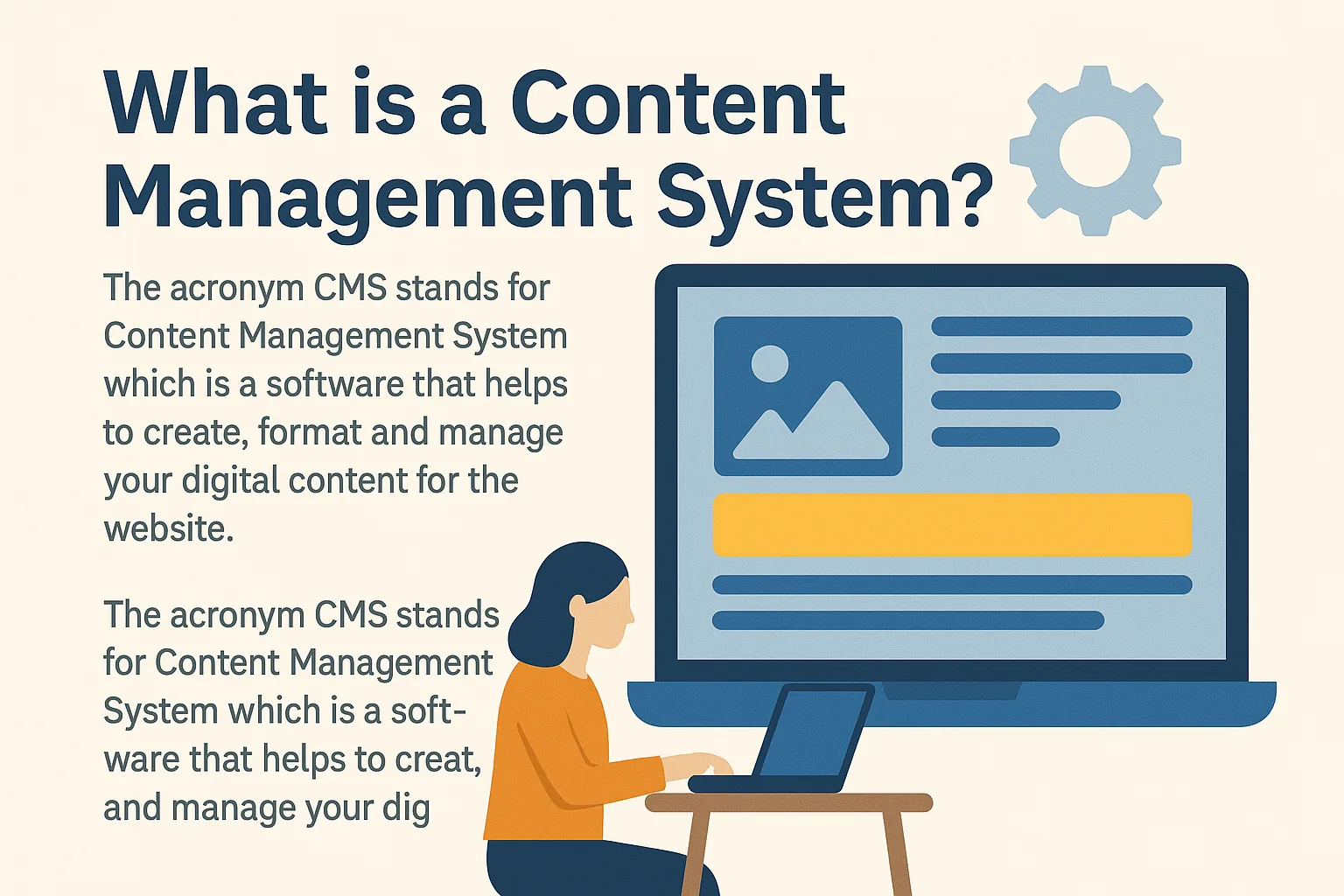
The acronym CMS stands for Content Management System, which is a software that helps to create, format, and manage your digital content for the website. In the early days, HTML was the basic web building block, but it came with certain limitations. In particular, it wasn’t able to deliver dynamic output as it’s a static language.

Why HTML Had Limitations

Also, the basic structure of an HTML document was difficult to understand. Not only that, it was a time-consuming task as you had to write too many codes for a simple webpage. Sometimes, this led to complexity and unnecessary effort.

CMS Makes Websites Easier

A Content Management System empowers you to build your website without having any specialized skills. Thus, a CMS is a tool that can be used to build a website without the basic knowledge of coding. The web design company might use this tool to set up your website instead of creating one from scratch.

CMS focuses on the technical aspects of your website, so you can concentrate on the front end. Moreover, apart from website building, you can utilize CMS in several other ways. For instance, redesigning your website on your own is easy unlike before. Additionally, online marketing strategies are inclusive like SEO, SMM, and email marketing. Web security is also guaranteed. Furthermore, it is cost-effective and saves time.

Components of a CMS

A Content Management Software has two core parts that work together:

1. Content Management Application (CMA)

CMA is the front-end component that enables you to create, edit, and manage content—usually by a template. It is represented by a dashboard that provides several tools to perform various tasks quickly.

2. Content Delivery Application (CDA)

CDA is the back-end component that enables you to input content, store it, and publish it on your website. Therefore, visitors can access and interact with your published materials seamlessly.

How to Use a CMS?

There are two common methods of using a CMS system based on where it’s hosted:

On-Premises CMS

An On-Premises CMS is the one you install on your server—either provided by your web host or created locally. You can make direct changes in your application to customize the website via server access.

Benefits of On-Premises CMS

It is a flexible and reliable option. In addition, it provides better security as there is no third-party involvement.

Cloud-Based CMS

The CMS service provider sells you a Cloud-Based CMS in exchange for an annual fee. Meanwhile, they manage maintenance and software updates for you.

Downsides of Cloud CMS

The downside is that you will have less control and cannot edit the CMS directly. However, Cloud-Based CMS is an economical option and perfect for users needing easy setup.

Key Features of a CMS

Nearly all CMS platforms share some essential features. These benefits help users, teams, and website visitors all enjoy a seamless experience.

User-Friendly Interface

CMS platforms are designed to be user-friendly, whether you’re a non-coder, a content manager, or a site visitor.

Content Management

You can create, edit, update, and publish content with just a few clicks. Therefore, you don’t need to depend on a developer for every small update.

Built-in Security Options

Cybercrime is a serious threat. Fortunately, CMS systems allow you to integrate plugins that prevent potential security breaches.

Version History and Workflow

Most CMS platforms allow you to track edits, roll back to earlier versions, and even identify which user made a change. This helps in managing workflow and meeting deadlines.

Multi-Platform Integration

A good CMS supports integration across multiple devices and platforms. As a result, users enjoy consistent performance everywhere.

Analytics and Insights

Most CMS tools come with built-in analytics. Consequently, you can track visitor behavior and adjust your content strategy accordingly.

Easy Content Access

Fast search tools in a CMS let users find content without browsing the entire website.

SEO and Marketing Tools

Most CMS platforms come with SEO tools, email marketing integration, SMM features, and automated URL generation for search engines.

Advanced Publishing Tools

The publishing interface allows you to add media, create landing pages, and manage content tags and SEO—all in one place.

Easy Redesign

You can redesign your site or make design changes without starting from scratch.

Multilingual Support

Some CMS systems offer built-in tools for creating and editing multilingual content. This can help expand your global reach.

Top 10 Content Management Systems

1. WordPress

The most popular CMS by market share, WordPress is beginner-friendly, reliable, and has a powerful editor. However, users must manage security and backups manually. Big brands like Forbes, CNN, and Spotify use WordPress.

2. Joomla

Joomla is great for SEO and offers multilingual support. However, it’s more complex and lacks enough free templates. Brands like IKEA and LINUX use Joomla.

3. Drupal

Drupal is perfect for handling large data with high security. Though not beginner-friendly, it’s used by The Economist, Lady Gaga, and Lamborghini.

4. Shopify

Shopify offers an all-in-one solution with integrated payment gateways and 24/7 support. However, pricing may be high ($29–$299/month).

5. Magneto

Highly customizable with multiple payment gateways, Magneto is used by Nike and Coca-Cola. On the downside, it is very expensive.

6. Strikingly

A free CMS ideal for building one-page mobile-friendly sites. However, editing the mobile version directly is not possible.

7. TYPO3

TYPO3 supports multi-language and multi-site setups. However, it requires experienced developers to operate effectively.

8. PrestaShop

An eCommerce CMS with a helpful community, but it has a steep learning curve.

9. Crownpeak

A headless CMS offering a visual editor and live-preview changes before publishing. It’s great for multipurpose content delivery.

10. Wix

Wix is beginner-friendly with drag-and-drop features. However, you need a paid plan to use eCommerce features.

Final Thoughts on CMS

In today’s content-driven world, a CMS allows you to update your website quickly and easily. The biggest benefit is that no coding is required to create or publish content.

Choose Wisely

Before selecting a CMS platform, consider the following:

  • It should be manageable

  • It must offer customization

  • It should be cost-effective

  • It must provide solid security

By choosing the right CMS, you can take control of your website and manage updates independently. Even though CMS platforms have security risks, these can be mitigated by updating and maintaining your system regularly.

How to Create Powerful Brand Awareness for Your Business

How to Create the Best Brand Awareness for Your Business

Your products, your services, and your business all revolve around your brand. It is the key defining factor of a company and one that can either make or break a business. It is imperative that you know how to create the best brand awareness for your business – and here’s how you can do it.

Promote Your Brand in the Best Light

Does a struggling salesman start turning up to work on a bicycle? No, he turns up in a newer car; brand awareness is all about perception. Whether it’s using digital film for a televisual marketing campaign or B1 format printing in a print media campaign, it is vital that you always use the best tools at your disposal when creating brand awareness.

Finding Your Brand’s Voice

Customer loyalty is vitally important to almost all businesses. It is a phenomenon that allows a company access to people who will act as free marketing brand ambassadors. Additionally, loyal customers will provide you with honest, quality feedback. It is a factor that also helps to insulate a business from price competition. However, customer loyalty rarely happens by accident; it is something that a brand has to work at.

One of the reasons that customers remain loyal to a brand is because they feel like they relate to it. This may be through shared moral values or a shared sense of humour; whatever it is, the importance of it is that it keeps customers coming back.

In order to ensure that you are able to achieve a high level of loyalty among your consumer base, you must be consistent with the values and tone of your brand. If the Sun newspaper suddenly changed its stance from a reactionary redtop to a left-wing broadsheet, it is very unlikely that brand loyalty alone would allow the publication to keep its readership. In much the same way, if you fail to be consistent with the tone and value of your business, you will struggle to reap the rewards associated with customer loyalty.

Although you want your brand to have its own clear voice, you should be careful not to be too extreme with your values; otherwise, you could reduce your potential consumer base, which would impact negatively on your business.

Build a Multi-Platform Brand

Just because your company produces toilet roll, this doesn’t mean that you need to limit your brand to this one area of business. Try thinking outside the box and consider the other areas in which you could expand your business.

Innocent, a company that is perhaps best known for its range of pulped fruit drinks, also produces a range of recipe books and writes a popular blog. These are both ways that the company creates brand awareness through diversification.

A toilet roll company might do the same by authoring a series of short stories or producing a range of toilet cleaning supplies. The idea is to increase awareness about your brand in as many relevant ways as possible.

How to Integrate WordPress and Facebook for Powerful Marketing Results

The Power of Facebook in Modern Marketing

Facebook is kind of a big deal. Marketers everywhere saw the power in the social platform years ago, when it was nothing more than a glorified RSS tool that allowed you to build influence and affinity as well as keep subscribers in the loop. Now, things have changed. Facebook has become the social network as opposed to one of many. It’s the only tool of its kind that becomes a completely integrated marketing channel all on its own.

From retargeting and paid ads to lead generation and influence building, Facebook has become a force to be reckoned with. Smart marketers are using it to tie all their online properties together to maximize the platform’s benefits.

How to Get Started with Facebook Marketing

WordPress and Facebook Integration

WordPress is a great marketing tool on its own, but combining its power with Facebook to build your audience is an effective way to turn readers into customers. This starts the process of moving your audience into the early stages of your sales funnel.

Plugins like Disqus allow easy commenting and liking by logged-in Facebook users, eliminating the need for form submissions. Another example is Yoast, which integrates graph search tags and optimizes post images for Facebook shares. These tools help bridge the gap between WordPress and Facebook, enhancing user engagement.

A blog isolated on its own isn’t as effective anymore. Seamlessly moving subscribers between social networks ensures they remain truly engaged.

Lead Generation on Facebook

While email open rates continue to decline, Facebook offers unprecedented access to your target audience. Many marketers still rely on landing pages to get users to download reports or white papers by opting into an email list. However, an increasing number of marketers are opting instead for a simple Facebook “Like.”

This process is less invasive and allows you to send 3-4+ optimized messages daily, which would be considered spam via email. Additionally, Facebook “shares” extend your influence by appearing in more newsfeeds, unlike emails that are quickly discarded.

Fans acquired through Facebook can be nurtured into additional funnels or client lists after you build enough influence. With WordPress and additional plugins, you can even funnel visitors into restricted website areas that add more value and push customers deeper through your sales funnel.

Promoted Posts to Boost Visibility

No matter how good your content is, it won’t get you anywhere if no one sees it. Facebook offers a cost-effective solution with its promoted posts feature.

After writing and sharing a blog post on your Facebook page, clicking the “promote post” button and investing as little as $5 can bring thousands of new eyes to your content. While not all views result in clicks, many will. This boosts both your website pageviews and Facebook page likes at a fraction of the cost of traditional online advertising. It’s common to see clicks costing less than a penny, helping you reach large new audiences previously out of reach.

Retargeting for Increased Conversions

Retargeting is one of the most powerful yet underutilized Facebook tools. It allows you to show ads to visitors who didn’t convert initially, increasing your chances of turning them into customers later.

For example, after sending blog readers to a landing page for a free download, you can use Facebook ads to retarget those who didn’t convert with the same offer for weeks or even months.

Research shows that many who don’t purchase on the first visit will convert later if given the opportunity. Using paid retargeting ads, you can potentially increase a 15% opt-in rate to 30-40% or more at very low cost. This is a powerful marketing tool that you should definitely be taking advantage of.

Conclusion: Why WordPress and Facebook Make a Powerful Duo

WordPress and Facebook make a powerful duo for marketers who know how to use them. While either platform might have been enough in the past, the future lies in an integrated marketing approach. This approach blurs the lines between content marketing, social media, SEO, and more.

If you aren’t integrating your marketing efforts, chances are your competitors are. Don’t get left behind — start connecting your WordPress and Facebook strategies today to maximize your online presence and business growth.

5 Simple Tips to Create an Effective and User-Friendly Website

Understand the Importance of Standing Out

By the end of this year, it is expected that the internet will contain over 1 billion unique websites. With this mind-boggling number of sites out there, making your website stand out from the crowd is absolutely crucial.

But don’t be overwhelmed; many websites are either outdated or poorly designed, and with the huge range of easy-to-use tools available these days, it is easier than ever to make an eye-catching and user-friendly site. This article looks at five simple tips to creating an effective website that makes an immediate impression on the user.

Put Yourself in the User’s Shoes

We all surf the web daily and have come across sites that we like or dislike. Sit down and examine what it is about these sites that created your impression. Are they too crowded, too slow to load or full of pop-up ads or dead links? Make a list of your likes and dislikes and keep it closely in mind when designing your site.

Content Is King

People go to websites to find useful information or be entertained. You can have the coolest, most cutting-edge design in the world, but if your site is all eye candy and no substance, users won’t stick around for long. They need to be able to find the content once they are there too, so a good site map with easy navigation is also essential.

Make Your Website Mobile Friendly

The number of people that access the web predominantly through their smartphones is rising at an incredibly rapid rate. Therefore, making your site mobile friendly is absolutely critical to building your audience.

If your site appears with tiny text and hard-to-use navigation buttons, mobile users will go elsewhere to find what they need.

Optimizing for mobile can be tricky, so if you are not sure how to do it effectively, consult a design company such as 4040 Creative, who can help create a seamless transition between your desktop and mobile website design.

Use Visual Elements Appropriately

Overusing visual elements such as pictures and video can slow loading times and clutter the screen, making your website less inviting. Visual elements should be used to support and further illustrate the text. Don’t use images and videos just for the sake of having them or because they look pretty. Keep them relevant and use them sparingly.

Make It Easy to Read

Web readers are fickle creatures and are prone to quickly scanning pages to find the information they want. By creating short line lengths, plenty of space between lines, and a large enough font, you will make the information you present easy to digest. The use of clearly delineated headings and sub-headings will also help the reader quickly scan the text to find what they want.

Conclusion

So there you have it! By following these five simple tips, you will avoid the many pitfalls of web design and will be able to create an attractive, simple-to-use and effective website that users will want to come back to again and again.